Skip to content

If you’ve ever had someone knock on your door or call your business claiming to be a government or business official, you know just how uncomfortable and confusing the situation can get. Impersonation by fake officials isn’t rare, and a little knowledge goes a long way in keeping you and your information safe. Through my experience working with small businesses and community organizations, I’ve seen just how crafty impersonators can be. This guide is about giving you the tools to spot the fakes, handle them calmly, and protect yourself, your money, and your data.

An illustrated secure office with signs, badges, and documents.

Why Impersonators Target Businesses and the Public

Impersonation scams can target anyone, from homeowners to company executives. The goal is usually pretty simple: to gain access to confidential information, money, or restricted areas by pretending to be someone trustworthy. With so many scams making headlines, knowing why impersonators focus on this approach helps you keep your guard up.

Most impersonators try to intimidate, confuse, or pressure people into quick decisions. The classic move? Someone calls saying they’re from the utility company and need your account number to avoid disconnection, or two people in uniforms show up with "urgent" documents that need a signature and payment on the spot. Busy offices and distracted staff can easily fall for these routines. The rise in remote working and digital paperwork has only increased these risks.

Official representatives from legitimate businesses and government agencies have a responsibility to identify themselves clearly, but scammers know most people feel a sense of authority when someone shows a badge, uniform, or flashes an ID. With a bit of confidence and jargon, fake officials can seem very convincing on the surface.

Common Impersonation Approaches (and Red Flags That Stand Out)

Impersonation scams work in lots of different ways, but I usually see the same patterns play out. Catching these clues can prevent big headaches down the road. Here are the most common tactics:

  • Fake badges or uniforms: Thieves may wear official looking clothes, vests, or IDs. The gear might use logos or designs borrowed from the real organization, but something will usually be a bit off, such as blurry logos, misspelled names, or homemade looking documents.
  • Unscheduled calls or visits: Real officials rarely show up unannounced for sensitive tasks. If someone calls or arrives demanding immediate action “or else,” that’s worth checking up on.
  • Urgent requests for payment or sensitive info: Scammers love pressure plays: "You need to pay this fee now" or "We need your password or account details to avoid interruption." Most real agencies will use secure, official payment channels, never gift cards or wire transfers.
  • Strange communication methods: Unusual or unexpected emails, texts, or DMs asking for information usually aren’t legit. Official business rarely happens through a personal social media account or generic email address.
  • Requests for secrecy: Any message or person that urges you to keep quiet about their request is a pretty clear warning sign.

I helped a family member once who got an “IRS agent” call threatening arrest if payment wasn’t sent immediately. The caller used aggressive language and even had a spoofed caller ID. Real officials don’t use threats like these, so stay skeptical of high-pressure tactics.

How to Check an Official’s Identity (Without Being Rude)

Trust, but verify. This saying really rings true. You don’t need to feel embarrassed asking for ID; real professionals are used to this. Here are some practical checks you can run when dealing with anyone claiming official status:

  • Ask for official photo ID and look closely: Check the ID for things like the agency logo, printing quality, an expiration date, and photo quality. Fake IDs often look homemade if you give them more than a passing glance. Genuine government and corporate IDs double check names, positions, and often carry a phone number you can use for confirmation.
  • Never open doors, sign anything, or share information right away: Take your time. A real official will wait while you confirm their identity. Step away and make a phone call or send an email to the company or agency directly using contact information from their official website, not the number or address the visitor gives you.
  • Ask for documentation for any requests: If a payment, inspection, or other action is needed, request a letter or written notice (on official letterhead if possible). Most organizations send advance notice before action is taken.
  • Look up the agency’s policies: Legitimate agencies usually outline their procedures for visits, payments, and data requests online. For example, utility inspectors will often be in marked vehicles and carry paperwork that matches your account. Police or fire departments don’t handle fines or payment collection at your door.
  • Verify with coworkers or supervisors: For businesses, train your team to always confirm identity. Ideally, have a single point of contact for all visitors and deliveries. Use a visitor management log or digital system to keep track of who is expected.

Confidence and politeness go hand in hand. I’ll usually say, “Just to be safe, I need to doublecheck your ID with the office first,” and make my verification call. Most real officials find this reassuring and appreciate the caution.

Steps to Respond Safely if You Suspect a Fake Official

Suspicion isn’t paranoia; it’s just a cautious approach. Handling a possible impersonator safely matters for both your security and peace of mind.

  1. Don’t let them inside or hand over information: No matter how convincing the story sounds, keep your personal boundaries. For businesses, keep visitors in public areas or at the reception desk until you’ve verified their credentials.
  2. Contact the real agency: Use their website or phone book to get the official number and check if the person is legit. Don’t rely on business cards, emails, or numbers provided by the visitor.
  3. Keep a record: Jot down names, physical descriptions, badge numbers, and details of their request and behavior. The more notes you have, the easier it’ll be to describe the situation to real authorities later.
  4. If you feel at risk or threatened, call local law enforcement right away: It’s better to double check and be safe than to risk a security issue in your business or home. Don’t try to physically restrain anyone; just keep your distance and stay calm.
  5. Alert others: Notify coworkers, neighbors, or building security if someone suspicious comes around. The faster everyone knows about a scam, the less likely it is to succeed.

In my community, we’ve set up a simple group text to alert people in our building about suspicious visitors. It’s worked really well to prevent problems and makes everyone feel a bit safer.

Real-World Examples: Spotting the Fake Before It’s Too Late

You don’t need to be a security expert to catch impersonators; just a bit of street smarts and awareness goes a long way. Here are some real-life cases that taught me (and others) how to stay alert:

  • Case 1: A "fire inspector" knocked on my friend’s small business, claiming to need access to fire alarms. He had a generic clipboard and business card. When my friend insisted on a call to the city fire department, the impersonator quickly left. The real fire inspection was scheduled for two weeks later with formal notice.
  • Case 2: A team of “IT contractors” appeared at an office building, requesting access to network equipment. One receptionist checked with the property manager. No official work order was filed, and the group was turned away. A follow-up call revealed attempts at several buildings in the area the same week.
  • Case 3: A residential community faced a rash of water utility scams. Residents were told water would be shut off unless a fee was paid immediately. Township staff reminded everyone that monthly bills and overdue notices only came by mail, never by doorstep demands. The scam was reported to police and local news outlets for wider awareness.

In each of these stories, taking an extra minute to double check turned what could have been a problem into a quick nonissue. Sharing tips like these with your crew or neighbors creates a safer environment for everyone.

Smart Ways Businesses and Households Can Strengthen Their Defenses

If you’re running a business or just managing your own household, putting some solid habits and safeguards in place will make impersonation scams a lot tougher to pull off. Here are practical steps I’ve seen work well:

  • Staff training and sign in protocols: Keep all staff, from the front desk to upper management, in the loop about common scams. Use a visitor log or digital checkin for everyone stepping through the door, including repair crews and couriers.
  • Physical security: Secure entrances so only authorized individuals can get in. Badge and fob systems, buzzer intercoms, or even old school peepholes add a layer between you and strangers.
  • Regular communication with official agencies: Sign up for alerts from utility companies, law enforcement, and community notices. Confirm what real communication looks like, so anything off script will stand out quickly.
  • Payment policies: For businesses, establish a clear payment process. Avoid accepting last minute payments by hand unless fully verified. For households, use official channels and never transfer money or sensitive information over the phone or at the doorstep.
  • Sharing knowledge: Create quick reference guides or printouts for your household or office covering popular scam scripts and how to handle requests for access or information. I keep a simple checklist on my fridge so family members know what to ask.

These simple checkpoints not only build confidence but can save serious time and money down the road. Being ready is much easier than cleaning up after a scam.

How Modern Tech and Resources Can Help You Stay a Step Ahead

Technology is making impersonator scams tougher, but also giving us new ways to fight back. Here’s how I tap into these tools for more peace of mind:

  • Caller ID and scam alerts: Many phone services flag suspicious numbers, especially those spoofing government agencies. Register your home or business for scam alerts from trusted organizations. These notifications can tip you off to trending frauds.
  • Official agency verification tools: Many government departments and businesses post lists of employees or contact info online. Instant badge or ID number lookup tools exist for some public utilities and service providers.
  • Digital visitor management: If you’re running a workplace, digital checkin apps lower the chances a fake visitor will sneak by unnoticed.
  • Home security systems: Door cameras, intercoms, and motion sensors let you screen unknown visitors before opening the door. Many systems now come with recording options, which can be shared with the police if something seems off.

I’ve worked with local police on workshops for small businesses and homeowners, where attendees learned about the latest phishing attempts, spoofed calls, and deepfake videos. The takeaway was clear: with a mix of tech, teamwork, and presence of mind, we can all stay much safer.

Frequently Asked Questions About Fake Official Impersonation

Lots of people have the same worries when it comes to dealing with possible scammers. Here are some questions I hear regularly, along with what’s worked for me and others I’ve helped:

Question: How common is official impersonation in my area?
Answer: It’s more widespread than most folks expect. It pops up in both cities and rural areas. Local police blotters and news stations are great ways to check for recent incidents nearby.


Question: What if I get it wrong; could I embarrass myself challenging a real official?
Answer: Don’t stress about being too careful. Real professionals appreciate due diligence and are trained to expect these questions. It’s better to feel a little awkward than to deal with a scam’s fallout.


Question: Should I ever pay fees or share information over the phone?
Answer: Never share personal details, payment, or passwords in response to an unexpected call or visit. Official requests typically go through secure portals or formal mail. If in doubt, hang up and contact the company directly using a verified number.


Question: How do I report attempted impersonation or scams?
Answer: Contact your local police, the organization being impersonated, and consumer protection groups. For online or phone scams, the Federal Trade Commission (FTC), Anti Phishing Working Group, and local resources like Better Business Bureau can help.

Final Thoughts on Staying Safe From Official Impersonators

Catching a fake before they talk you into giving up money or confidential info is easier than you might think. Staying calm, taking a minute to verify details, and never feeling rushed are really important habits. Keep sharing what you learn; scammers hate an informed crowd, and those few extra seconds double checking identity can make all the difference.

Your personal safety and the reputation of your business matter a lot. With the right mix of common sense, teamwork, and easy to follow routines, you’re in a solid position to spot impersonators every time they show up or call. Stay observant out there, and don’t be afraid to trust your gut when something feels off!
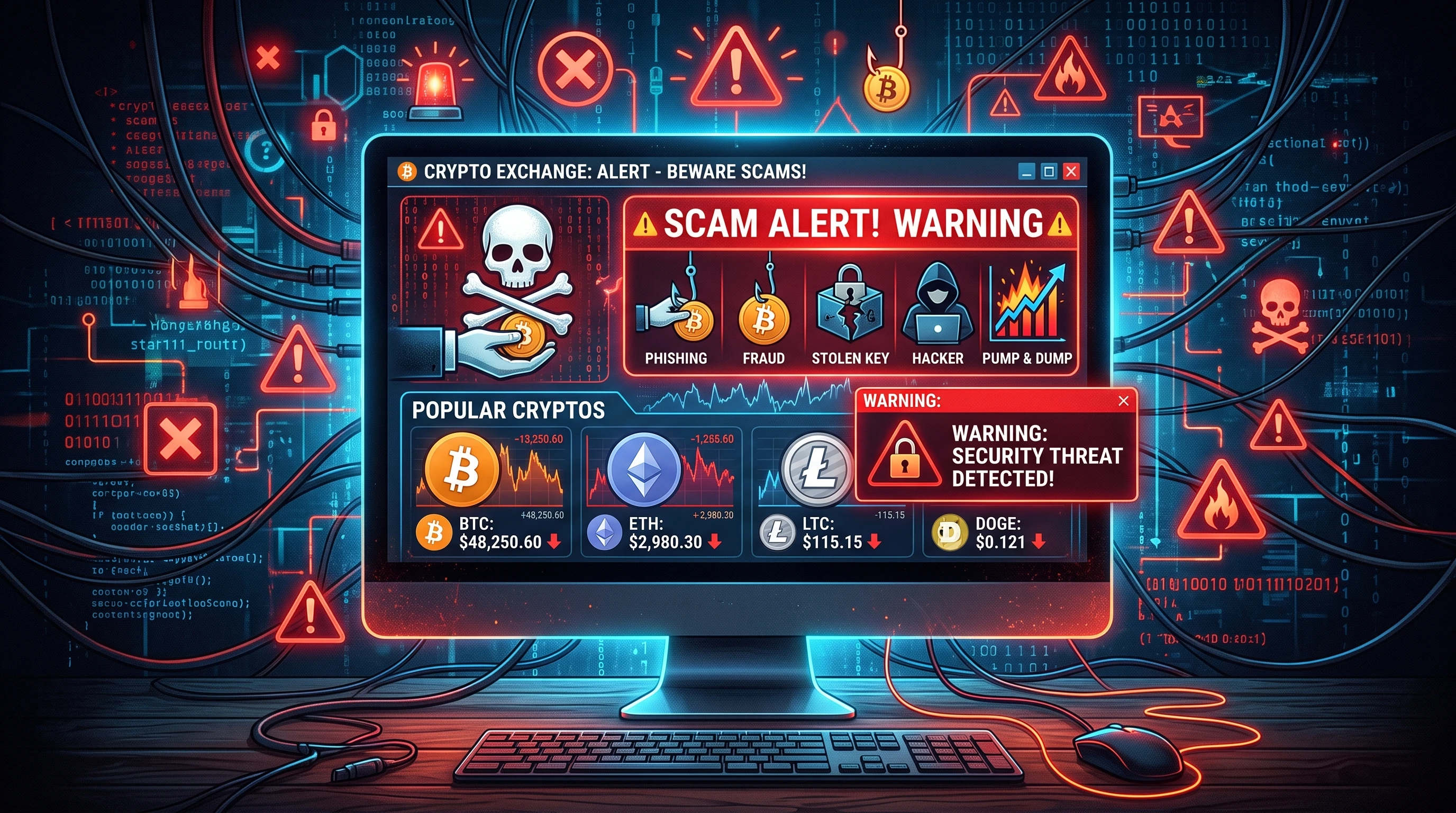
Cryptocurrency investment scams are something I’ve seen grow rapidly as more people rush into digital assets hoping for quick returns. The crypto market is exciting, but scammers are always looking for ways to take advantage of new investors. Recognizing scams and steering clear of them is really important for anyone, whether you’re brand new or have some experience with crypto. In this article, I will walk you through what these scams look like, how to spot the warning signs, and practical steps you can take to protect yourself from falling victim to them.

An abstract representation of digital currency with warning signs overlayed, symbolizing online crypto scams.

Understanding Cryptocurrency Investment Scams

Scammers use a wide range of tactics in the cryptocurrency world, and they often take advantage of people’s desire to find the next big thing. These scams come in many forms, but the goal is always the same: to separate you from your money. Getting familiar with how these schemes work gives me, and anyone interested in investing, a better shot at avoiding major financial losses.

With the rise of online investing platforms, it’s much easier now for fake projects and fraudulent offers to reach a wide audience. Reports from regulators, like the U.S. Federal Trade Commission (source), show losses from crypto investment scams have risen each year. Because transactions on the blockchain are hard to reverse, recovering funds can be next to impossible once they’re sent. Taking the time to understand the risks and recognizing the classic patterns of a scam is the first line of defense.

What Makes Crypto Investment Scams So Common?

Several things make cryptocurrency especially attractive to scammers. There’s little government oversight, transactions are mostly anonymous, and people often don’t know the ins and outs of how crypto works. If you add in the promise of fast profits, it’s easy to see why so many fall for these tricks.

The decentralized nature of crypto means you don’t have banks or traditional institutions watching over every transaction. Anyone with an internet connection can launch a website, issue a new token, and promote an "investment opportunity." Because of this, there’s a constant stream of new scams popping up. I have learned that being skeptical and asking tough questions is not just a good idea; it’s needed to avoid falling into a scam.

  • Pseudonymity: Most blockchain transactions don’t require showing your real identity, so it’s hard to trace scammers.
  • Irreversible Transactions: Once you send crypto, you usually can’t get it back. Scammers know this and act fast to move stolen coins.
  • FOMO (Fear of Missing Out): The crypto space is packed with hype about “the next Bitcoin.” Scammers leverage this emotion to lure in victims.

Getting Started: Key Warning Signs of a Crypto Investment Scam

It took me a while to pick up on the signals, but now I always watch for certain red flags when I look into any crypto investment offer. Fraudsters often rely on urgency and secrecy, pushing you to act before you can fully think things through. Here are a few signals that should always make you slow down or stop:

  • Promises of Guaranteed or High Returns: If someone claims you’ll definitely make a lot of money, be extra cautious. Real investments always carry some risk.
  • Lack of Clear Team or Location: Many scam projects don’t reveal who’s behind them, or they list fake team members and addresses.
  • Pressure to Act Fast: A common trick is telling you there’s only a short window to invest, or you’ll miss out. That pressure is a strong warning sign.
  • No Real Product or Service: Some projects exist only as a website or a flashy whitepaper, but they never show a working platform, app, or product.
  • Requests for Private Keys or Seed Phrases: No real company will ever ask for these. Sharing them gives complete control of your funds to someone else.

Quick Guide: Common Types of Cryptocurrency Investment Scams

I have seen crypto scams take on many different forms, often blending together to appear more convincing. Recognizing the main types helps you quickly filter out suspicious opportunities. Here’s what you should be watching for:

  1. Ponzi and Pyramid Schemes: These promise high returns if you bring in new investors. Early participants are paid with money from later ones. Once new money stops coming in, the scheme collapses.
  2. Fake Initial Coin Offerings (ICOs) or Token Sales: Scammers promote a new crypto project and collect funds during the “ICO” phase, then disappear without launching a product or token.
  3. Impersonation Scams: Fraudsters set up fake accounts pretending to be popular investors, influencers, or even crypto exchanges, and offer “investment tips” or fake giveaways.
  4. Pump and Dump Schemes: Scammers hype up a token to drive up its price. Once it spikes, they sell their holdings, causing the price to crash and leaving others with worthless coins.
  5. Phishing Links and Fake Wallets: Scammers email or message links to fake sites that collect your login information or trick you into downloading malware to steal your crypto.

Understanding these scams has helped me dodge several offers that sounded “too good to be true.” Always double-check any opportunity against these patterns.

What to Consider Before Investing in Cryptocurrency

While crypto investing can be exciting, it also comes with real risks, especially if you’re not careful. Before I invest in any new project or token, I look for several key details to make sure I’m not falling into a trap:

  • Research the Team and Background: Verify the names, backgrounds, and work history of the team behind the project. A lack of transparency is a big warning.
  • Check Whitepapers and Roadmaps: Serious projects have clear, detailed whitepapers and roadmaps. Vague or copied content is a red flag.
  • Community and Social Media Presence: Solid projects usually have active, respectful communities. Watch out for fake followers or overwhelming hype that feels forced or inauthentic.
  • Review the Technology: Real projects often have public code repositories, audits, or demonstrations of their product. If nothing is public or available, that’s reason for concern.
  • Assess the Product or Use-Case: The most convincing scams often push technology that sounds impressive but does nothing new or useful. Ask yourself what real problem the project claims to solve.

Who’s Behind the Investment: Identifying Real Teams vs. Fake Fronts

I always try to track down the actual people working on a project. Professional profiles that link to real, active social media pages help build trust. I avoid investing in platforms where all the “team” members use generic names or have no digital footprint outside the scam’s own site.

Transparency in Communication

Legitimate crypto projects answer questions clearly and don’t hide behind jargon. Scammers usually dodge tough questions or try to change the subject when asked about how the project works or where funds go. Reading project communications and joining their official social channels can help reveal if something feels off.

Real-World Challenges of Detecting Crypto Scams

It’s not always easy to spot a scam right away, even if you’re careful. Scammers have become better at imitating legitimate investment platforms. Here are some struggles I’ve experienced, or that I’ve seen others face, when trying to make smart decisions:

  • Overloaded with Technical Talk: Some scam projects use lots of complicated language to hide the fact that they have no real platform or product.
  • Fake Testimonials and Hype: Social media can be full of bots and fake reviews, making it look like lots of people trust the platform. These are easy to stage and hard to verify.
  • Copycat Websites and Social Channels: Scammers sometimes create exact copies of real company sites or social media handles, tricking people into trusting them.

Technical Overload and Jargon Bombs

Scammers often drown potential investors in technical words, making empty promises about “AI driven trading” or “guaranteed returns from blockchain protocols.” If I can’t explain the project’s main idea to a friend in simple terms, that’s my signal to walk away.

Fake Hype and Reviews

I check multiple independent sources before trusting online reviews, and I’m wary of claims that everyone is making huge profits. Sites like Reddit's CryptoScams or BitcoinTalk forums are good resources for honest feedback from seasoned investors and crypto users.

Protecting Yourself from Copycat Scams

Always check web addresses for tiny typos. Bookmark official sites rather than clicking through emails or ads, since “phishing” scams use nearly identical web domains. Double-check social media usernames to make sure you’re following real accounts.


Staying up to date on fraud tactics and learning from community experiences makes a big difference. Many credible crypto personalities regularly call out new scams on X (formerly Twitter) or specialized forums, and keeping an eye on their warnings has saved me from trouble more than once. If you engage with these communities, you'll often stumble upon alerts before they grow into larger schemes. The more I participate, the better I am at avoiding new threats.

Advanced Tips for Spotting Cryptocurrency Scams

Awareness of basic warning signs goes a long way, but I find that a few extra precautions can add another layer of safety. If you’re looking to be even more prepared, here are some steps I take when something feels even a little off:

Run WHOIS and Web Archive Checks: I look up the website registration date using tools like WHOIS. Scam sites usually go up only a few weeks or months before a major push. I also use the Web Archive to see if a project had a different name or purpose in the past.

Check Contract Audits: If the token is based on Ethereum, BNB Chain, or similar, I verify whether the smart contract has been publicly audited by a trusted third party. No audit or a fake one is a big warning signal.

Research Token Distribution: Public block explorers like Etherscan let you see how tokens are distributed. If one or two addresses hold nearly everything, that’s a major risk.

Test Customer Support: I contact the project’s support or help channels with a simple question. Poor or no response means the team may not be prioritizing real investors.

Look for Transparency in Listings: A token listed only on obscure exchanges may be harder to sell. Major exchanges do due diligence before listing new coins, so that adds some extra credibility.

Bringing these steps into my own routine has helped me avoid more than just the most obvious scams, especially as some projects get more creative. It helps to keep up with the latest scam alerts by joining forums, reading newsletters, and following trusted figures in the crypto world. Expanding your sources of information gives you a fuller picture of the possible dangers.

Action Steps: What to Do If You Suspect a Scam

If something doesn’t feel right, I always slow down before making any decisions. Here’s what works for me if I’m on the fence about an offer:

  • Pause and Research: Don’t rush. Look up the project in scam databases or crypto forums to check for alerts about fraud.
  • Ask for Proof: If someone reaches out directly (especially on social media), ask for proof of the company’s registration or any public audits.
  • Double-Check the Whitepaper and Terms: Many times, scam projects reuse whitepapers from other failed or fake projects. Simple searches can reveal this.
  • Report the Account: If you’re sure it’s a scam, report the site, app, or profile to relevant authorities like the FTC or local crime agencies. This helps others stay safe.
  • Never Share Sensitive Information: No reputable platform will ever ask for private keys or recovery phrases. Keeping these private is the best way to keep your assets safe.

These steps have saved me from several close calls and, more importantly, helped others in my network think twice about clicking a link or trusting a too-good-to-be-true offer. Remind friends and family to be on guard as well and share resources with them.

The Basics: How to Safely Research a Crypto Investment

I’ve learned to apply a research routine to every new project I find interesting. Sticking to a few consistent practices helps keep emotions in check and lets me focus on facts, not hype:

  • Start with Official Channels: Visit the project’s official website and verified social accounts for news and updates. Scammers often set up fake channels with minor differences in the account name.
  • Search the Project’s Name + ‘Scam’: A quick web search with the word “scam” included often turns up early warnings from other users or investors.
  • Verify Community Presence: Look at active conversations and see if developers and moderators answer questions openly. Healthy communities have dialogue, not just hype or scripted responses.
  • Be Skeptical of Celebrity Endorsements: Many scams use fake celebrity endorsements to win trust. Always look for evidence from real news outlets.
  • Compare Multiple Sources: I check crypto news, forums, and even financial regulators' websites for alerts or warnings about new projects or investment schemes.

By taking the time to check these basics, I feel much more confident that I’m making decisions based on reality, not just excitement or hearsay.

  • Decentralized Finance (DeFi) Projects: DeFi has opened the doors to tons of innovation, but it’s a space where fake projects and "rug pulls" are sadly common. I look for the same research markers, team transparency, smart contract audits, and active communities, before getting involved.
  • NFT Scams: Nonfungible tokens, or NFTs, also have their fair share of scams. I’m careful to purchase through official marketplaces, and I watch for projects with real artist profiles and verifiable sales history.

Frequently Asked Questions

These are some of the questions I often get from others who are interested in investing in cryptocurrency and want to stay safe:

Question: What should I do if I’ve already sent money to a suspect crypto project?
Answer: If you act quickly, you might be able to stop further losses by reporting the incident to your wallet provider or exchange. It’s also important to report the scam to law enforcement and regulatory agencies. Sadly, recovering funds is difficult, but sharing your story can help others.


Question: Are there official resources to check if a crypto investment is a scam?
Answer: Sites like the U.S. Securities and Exchange Commission’s Investor.gov ICO page and FINRA’s warning signs offer guidance and known scam lists. Online forums and local consumer protection agencies also post real-time alerts about recent scams.


Question: What’s the safest way for a beginner to get involved in crypto?
Answer: Start by using established, regulated exchanges. Avoid offers that come through unsolicited emails or messages and never share your private keys. Take your time to learn how the technology works and ask questions in trusted communities.


Final Thoughts

Staying alert and informed is really important in the crypto space. Even if new scams keep appearing, the main warning signs and protections remain the same. By carefully checking every investment opportunity, paying attention to red flags, and connecting with others in the crypto world, I reduce my risk of being caught out. Crypto investments can be worthwhile, but only when approached with a healthy dose of skepticism and a steady commitment to personal research and safeguarding funds. Whether you’re new to digital assets or already have some experience, it pays to keep questioning new opportunities and to track down the latest reviews and feedback from reliable sources.

Exploring cryptocurrency safely means being both curious and cautious, especially with new projects, tokens, or investment schemes. I always keep learning so I can enjoy the opportunities crypto offers without the stress or heartbreak of falling for a scam.

Shopping online has exploded in popularity, especially on platforms like Lazada and Shopee. Getting items delivered right to your doorstep is super convenient, but as more people use these marketplaces, some shady folks get creative and target shoppers. I've noticed a steady stream of stories about scams happening on both Lazada and Shopee, so I thought it's worth laying out exactly why these sites attract scammers and how you can spot trouble before your bank balance takes a hit.

Conceptual art of digital marketplace security and online scams

Why Scammers Love Lazada and Shopee

Both Lazada and Shopee have grown so much in Southeast Asia because they offer loads of products at crazy good prices. But huge popularity also paints a big target for scammers. Here are some factors that make these platforms pretty attractive for dodgy deals and frauds:

  • Sheer Volume of Users: Millions of people use these apps every day, making it easier for scammers to blend in or target lots of people at once.
  • Lots of Third Party Sellers: Both marketplaces let just about anyone set up shop. While this boosts variety, it also means not everyone is playing by the rules or even selling legit stuff.
  • Explosive Growth: Their rapid expansion sometimes means new users are less familiar with scams, and staff might not always catch every suspicious seller or listing right away.
  • Fast Paced Transactions: Flash sales and limited time offers encourage quick decisions, something scammers hope will make you less likely to double check everything.
  • Anonymous Seller Profiles: A seller can disappear or recreate accounts easily. That lack of accountability is pretty handy for those who want to scam and run.

Because of how easy it is to open a shop and the pressures of quick sales, scammers can slip through the cracks. It’s why personal knowledge of scam tactics is just as important as trusting any built in platform protections. Stay alert and you’ve already stopped half the trouble before it starts.

How Scammers Operate on Lazada and Shopee

Scammers use all sorts of creative methods. Some tricks are sneaky, others more direct, but the end goal is always the same: get your money or your personal info. Here’s how most of them work:

  • Fake Stores and Product Listings: These are set up to look totally legit with real looking pictures and even phony reviews. Once you pay, nothing gets shipped, or you get something completely different.
  • Phishing Links by Message: You might get a text, email, or inapp chat claiming to be from Lazada or Shopee. Sometimes it’s about a fake "order problem" or "voucher." Clicking the link could let them steal your login or banking details.
  • Payment Skimming: Some sellers push you to complete payment outside the official platform, maybe through wire transfer or direct bank deposit. Once you do, you’re pretty much out of luck if things go wrong.
  • Refund and Return Scams: Some scammers pose as buyers and abuse refund policies, or pose as sellers and fake problems to avoid sending the real product after getting paid.
  • Social Engineering Tricks: These scams play on urgency, fear, or curiosity. A scammer might claim "Your account is at risk!" or "You’ve won a prize!" as a way to get you to reveal confidential details.

It's a big mix of tech tricks and psychological games. Keep your guard up, use the app as intended, and you already remove a lot of their tools.

Common Signs You’re Dealing With a Scam

There are a bunch of red flags you can spot if you know what to look for. Here are some signs a listing, message, or deal isn’t as great as it seems:

  • Deals That Are Way Too Good: If the price just seems wild compared to others, you’re probably looking at a scam or a fake.
  • Push for Off Platform Payments: Any seller asking you to pay or chat outside Shopee or Lazada is a no go.
  • No Real Seller History: If the shop is brand new, has almost no sales, or all the reviews came in a short burst, pump the brakes and dig deeper.
  • Bad Grammar and Shady Communication: Scam messages are often rushed or use awkward wording. Sometimes you’ll see weird links or attachments, too.
  • Suspicious URLs: Official messages from Lazada or Shopee won’t direct you to odd looking web addresses. Watch out for typos or strangely structured links.

Trust your gut, but use these clues as well. The sooner you spot a scam, the safer your money and info will be.

Clicking the Link and Losing Your Money: How These Malware Schemes Work

This one’s scary because it can happen so fast. You click a link, maybe from a "support agent" or a "delivery notification," and you’re taken to what looks like a login page or tracking site. But it’s not actually Shopee or Lazada. Once you enter details, malware might get installed on your device, giving scammers a backstage pass to your bank accounts or wallet apps.

People wake up to see cash drained from their accounts, cards maxed out, or orders placed without their consent. Some malware even records phone activity or intercepts your SMS, letting thieves get around two factor authentication. These phishing links can do a lot more damage than just stealing your password, especially now that everything is tied to your phone. Staying sharp every time you get a new message is a must for today's online shopper.

  • Example: You get a text: “Your order can’t be delivered, please update details here.” You tap the link, enter your Shopee password, and suddenly, money vanishes from your bank. That’s the chain reaction these phishing malware attacks can trigger.

It's a classic trick, but the links and sites get more convincing every year. Never click unless you are 100% sure where the link leads.

How to Know If a Link Is Malware

Malware links can be disguised to look like they’re from Shopee or Lazada, but with a few simple checks, you can dodge a lot of bad news. Here are tips I’ve found really useful:

  • Look Closer at the URL: Real links should include the exact Lazada or Shopee domain. If you see something like “shopeeordershelper.com” or “lazadadeliver.com” that’s unrelated, don’t touch it.
  • Hover Before Clicking: On a computer, you can hover your mouse over a link to see where it leads. On mobile, press and hold the link to preview the address. If it looks strange, don’t go there.
  • Check for HTTPS: Legitimate platforms always use secure https://. Many scam pages skip this, or their security certificate is flagged by your browser. That’s a sure sign to bail out.
  • Spelling and Grammar: Popups or emails that are full of typos or use weird English aren’t from serious businesses.
  • Don’t Share Sensitive Info via Messages: Shopee and Lazada always ask you to resolve account or order issues right on their platform, not by secret links. If you need to do something, just log in through the app directly.
  • Verify with Official Customer Support: If in doubt, go directly to customer service via the app, not by replying to surprise emails or clicking unknown links.

Adding a bit of patience before you tap on anything can save you a huge headache. Safety checks are always worth your time.

RealWorld Stories: How Scams Actually Go Down

I have come across so many firsthand stories of people getting caught up by phony sellers or fake emails. One friend got a message saying she’d won a free phone after a big Shopee sale. The link looked real, but after clicking and entering her details, her login stopped working and she started seeing purchases she never made. In another case, a seller offered a massive discount but pressured the buyer to pay via bank transfer. After sending the cash, the seller vanished for good.

Malware scams are getting slicker every day. Some even create fake Shopee or Lazada apps that look just like the real thing, but inside they’re designed to capture every tap and password. It’s wild how convincing some of these can be at first glance. The impersonation isn't just visual, it copies everything right down to logos and customer service prompts. That's why it's so important to only use official apps and not trust download links from unknown sources.

Plenty of scam artists are patient, running many small-time fakes instead of going for a single big score. If you see a deal that's just a little too eye-catching, or you get rushed messages about winning something you never entered, that's your cue to pause and double check with the official platform support.

What to Do If You Think You’ve Been Scammed

Falling for one of these tricks is stressful, but there are solid steps you can take to try to stop the damage and report the scam:

  • Change Passwords Immediately: Update your Lazada, Shopee, and any email or bank passwords if you think someone got your login info.
  • Call Your Bank: If money was stolen, contact your bank fast. They can freeze accounts to stop more spending and maybe reverse suspicious charges if you act quickly.
  • Check Your Devices for Malware: Run security scans using trustworthy antivirus or anti malware tools. If you spot malware, follow the instructions to remove it before logging into sensitive accounts again.
  • Report to Shopee or Lazada: Both platforms have official ways to report scam sellers or messages. They’re usually reachable through the help center in their apps.
  • File a Police Report If Needed: For big losses or identity theft, a police report can help track down scammers and support your case with the bank.

The sooner you act, the better the odds of keeping any loss to a minimum. Don’t let embarrassment stop you from getting help; scams happen to all kinds of people.

Steps to Protect Yourself on Lazada and Shopee

You can avoid almost all scams with a few habits. Here’s what I always stick to:

  • Stick to Official Apps and Websites: Only use the real Shopee or Lazada app or type the URL directly into your browser. Don’t click links from sketchy emails or SMS.
  • Research Sellers: Check seller ratings, reviews, and history before buying things. Lots of happy buyers is always a good sign.
  • Keep Payment Inside the Platform: Lazada and Shopee both have protections for inapp payments. You lose that safety net if you pay by bank transfer or other means outside the official system.
  • Use Strong Passwords and TwoFactor Authentication: These keep your account locked down, even if someone gets your login.
  • Update Apps Regularly: Platform updates usually include new security features that block known scam tactics.

Another smart habit is to budget time for checking your statements and review order confirmations. If you catch unexpected activity early, you can put a stop to things a lot faster.

Are the Marketplaces Doing Anything About Scammers?

Both Lazada and Shopee have put some security systems in place to catch dodgy sellers or products. Suspicious accounts get restricted or banned, and buyers can often claim refunds if things go wrong. They also scan for scam listings and educate users about safe shopping. But with so many people and sellers involved, some tricks will always slip through the cracks, making personal awareness really important.

Marketplaces do work to get the word out about the latest scams. They team up with banks and IT experts to spot major scam waves, and build filters to remove many scams before you see them. But no filter is perfect. That's why your own habits and street smarts are still your best weapon against scammers who keep mixing up their tactics.

Frequently Asked Questions

Here are some questions I hear most often about scams on Shopee and Lazada, along with my answers based on experience and what I’ve learned online:

Question: Why do scammers keep targeting these marketplaces?
Answer: Simply put, there are loads of shoppers and sellers, so scammers have an almost endless supply of new people to try and trick. The faster you spot their tricks, the less luck they’ll have.


Question: Is it safe to buy big ticket items on these sites?
Answer: For the most part, yes, as long as you go with large, trusted sellers and keep everything inside the platform. If the deal seems much better than anywhere else, it’s worth pausing to compare and look for red flags.


Question: How can I check if a seller is reputable?
Answer: I usually read reviews, check how long the shop has been around, look for seller badges, and see if buyers post real product photos. If something feels off or there are lots of recent complaints, I move on.


Question: I got a strange email from Shopee or Lazada. Should I click the link?
Answer: Don’t do it. Type the site address yourself or open the app and check your messages there. That keeps you clear of most phishing tricks.


Final Thoughts

Online shopping with Shopee and Lazada offers a ton of perks, but you really have to stay on guard if you want to dodge scammers and keep your money safe. A basic level of suspicion and some careful habits are worth way more than any lightning deal. With just a bit of attention to the signs I mentioned, you’ll avoid the big headaches and keep your experience positive.

If you’ve got your own story or tip about spotting scams on these platforms, drop a comment or share it so more people can shop safer! It takes a community approach to push back against scammers—and the more we share, the harder it gets for the fakes to win. Happy shopping, and stay sharp!

The Razor Gold Gift Card was created for one specific purpose. buying digital content for games. Over the last few years, however, I’ve noticed a wave of people using these cards in ways very different from what Razor originally intended. Instead of sticking to game purchases, some buyers and sellers use Razor Gold to transfer money, treating the platform almost like a digital cash system. This behavior has made some people wonder why the government doesn’t just step in and limit these cards strictly to gaming. I want to walk through why this isn’t as straightforward as it sounds and share some relevant issues around regulation, technology, and financial safety.

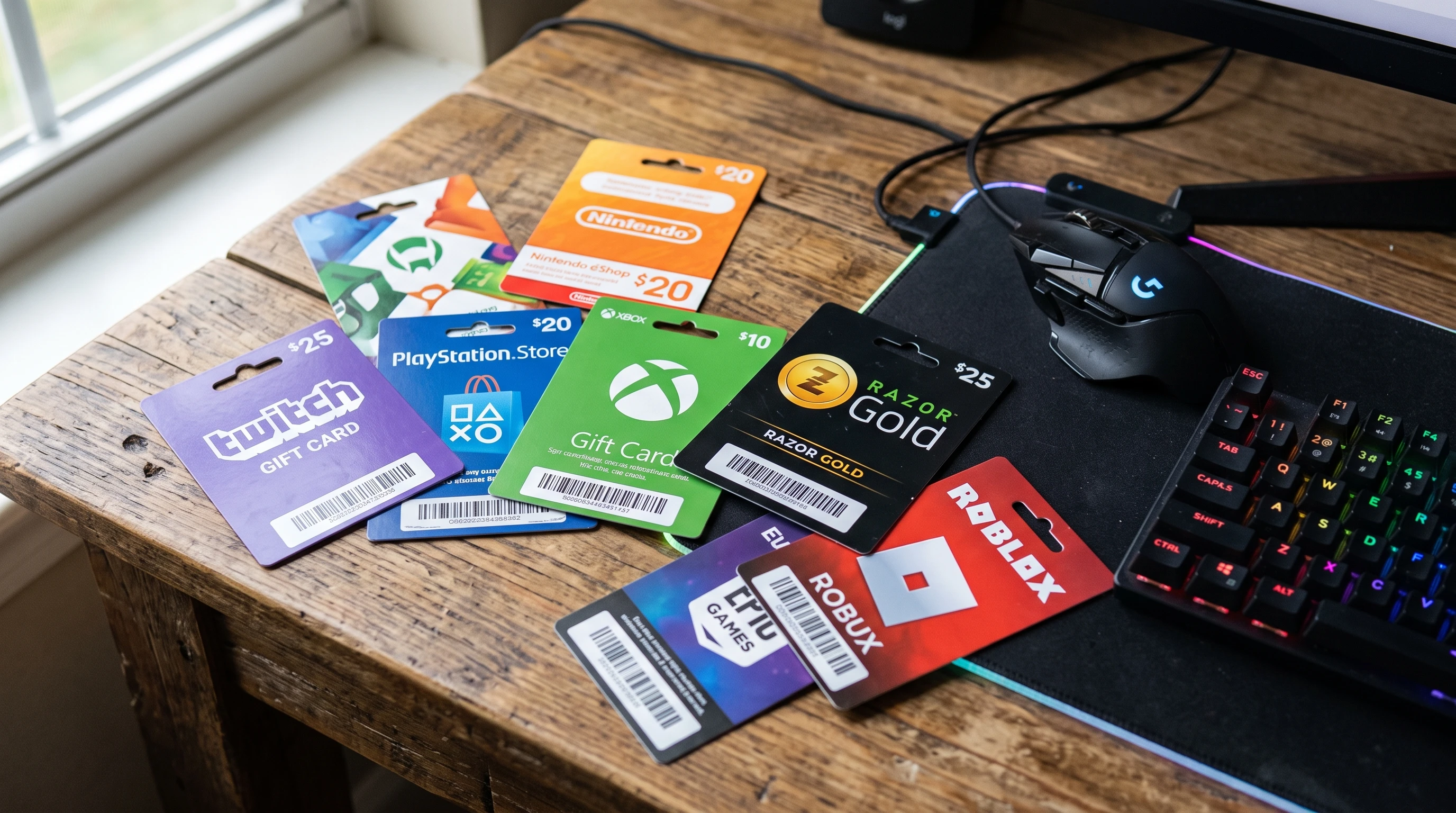
A close-up photo of several colorful prepaid game cards, including a Razor Gold card, spread out on a wooden table next to a gaming mouse and keyboard

How Razor Gold Gift Card Works

Razor Gold is a type of prepaid digital card. I can buy it online or at local stores, and I use it most commonly for topping up my gaming wallet. Usually, this means I can pay for in-game currency, unlock downloadable content, or buy bonus features whenever I play supported games.

Each Razor Gold card is a stored value product, working a lot like store gift cards. I purchase a fixed value, redeem a unique code, and the digital credit goes into my Razor wallet. This credit is meant for spending in specific online gaming portals or with partnered publishers. The intent is simple and clear: I’m supposed to use it for gaming, not as a general purpose tool for moving or exchanging money.

How Razor Gold Cards Are Used for Money Transfers

Despite being designed for gaming, people have found creative ways to abuse Razor Gold cards. Here’s a simple example I’ve run into while browsing online forums or social media: Someone agrees to buy a service or item and asks for payment through a Razor Gold card. Instead of a bank transfer, I just buy a card, send the code, and they redeem the value.

On the surface, this seems pretty harmless. But when you look deeper, it’s essentially a way to send money without using banks or services that have strong anti-money laundering checks. Some people use these cards for legitimate repayments, but others tap into this loophole for money laundering or scams. This misuse is what gets people really concerned, especially when authorities try to follow the money trail.

Common Misunderstandings About Gift Card Regulation

A lot of people think that because the government regulates banking, it should be easy to extend those same controls to game cards like Razor Gold. But that isn’t usually the case. Gift cards and digital payment systems aren’t treated the same way as banks or money transfer companies. Here’s why:

  • Gift Cards Are Not Technically “Money”: The financial system classifies prepaid game cards as closed loop products. That means they are meant only for certain purchases and not for open transfers or general payments like cash.
  • Scope Is Limited: The original design restricts spending to select platforms or merchants. If all users followed rules, there wouldn’t be much risk.
  • Tracking Is Not Built In: Game cards don’t require personal details or bank accounts. This makes them easier to buy, but it also means less traceability when problems crop up.

Why Some People Want Restrictions on Razor Gold

Calls for tighter controls on game cards like Razor Gold come down to security and fighting fraud. Here are some of the biggest reasons I’ve heard for why stricter rules or restrictions might make sense:

  • Preventing Money Laundering: When someone launders money, they try to hide where it comes from by moving it through multiple methods. Gift cards provide quick, anonymous movement, acting like a shortcut for hiding illegal cash.
  • Reducing Online Scams: Criminals often trick people into buying and sending gift card codes as payment. If the government could restrict cards to only buying digital gaming items, a big scam vector would disappear.
  • Helping Law Enforcement Track Fund Flows: Open money transfer through cards bypasses banks, making it hard for police or regulators to follow the money. By restricting uses, authorities would have an easier time tracking suspicious activity.

Barriers to Enforcing Usage Restrictions

Even though the intention is good, putting these kinds of restrictions in place comes with real challenges. I’ve seen several reasons why government action is tough to implement in reality.

Technical Limitations

Most gift card systems were built to be simple. Adding specific restrictions, like limiting redemptions to certain digital purchases, would require completely new back-end systems. Game platforms can hard code which products can be bought, but if someone sells or trades the card code outside these systems, enforcement fails quickly.

Jurisdictional Issues

Razor Gold cards can be bought nearly anywhere in the world. Each country has different financial laws and data privacy rules. Coordinating a global crackdown or standard on gift cards means dealing with hundreds of legal systems. Even if the government in one country sets strict limits, users in others might not face the same controls, and cross border misuse continues.

Balance Between User Freedom and Regulation

When I use my Razor Gold card, I appreciate not having to prove my identity each time or give out my bank details. Tighter regulations would add friction, making the cards less convenient for regular players. Game companies also worry about losing business from genuine users if rules get too tough.

Role of Razor and Similar Companies

Game card companies have started rolling out new tools and warnings, especially when it comes to customer safety. Razor, for example, reminds users during checkout that codes should never be shared with strangers and that gift cards are for gaming. But these warnings don’t always reach buyers who are intentionally looking for loopholes.

Companies could technically lock cards to specific games or ban code transfers, but that adds complexity to their systems and creates customer service headaches. Sometimes, people really do just want to send a card as a gift, so finding the right line between security and user experience gets complicated fast.

Recent Efforts to Address Abuse

Some countries have started looking more closely at prepaid gift cards. For example, agencies in the United States and parts of Europe have warned consumers about scams involving game cards. Some have promoted educational campaigns or even put spending limits on certain products.

Banks and payment processors sometimes step in by flagging gift card sales, requiring extra ID for larger purchases, or limiting daily spending to slow down illegal activity. However, since Razor Gold can be purchased with cash at convenience stores, many hurdles remain that make enforcement piecemeal at best.

What Would Happen If Only Game Purchases Were Allowed?

If governments were able to directly restrict Razor Gold cards so that they could only be redeemed for gaming, several things would likely change.

  • Transferring money using these cards would become much harder, closing a popular option for money laundering and certain online scams.
  • People who buy the cards as gifts would only be able to give them to gamers, not use them for broader payments or trades on resale markets.
  • Hackers and fraudsters might move to other digital platforms or products not covered by such restrictions, switching things up but not entirely eliminating the issue.

Companies might also face increased costs for updating their platforms, maintaining stricter controls, and responding to more user questions and complaints about declined activity or locked accounts.

Challenges for Law Enforcement

When tracking down money launderers or stopping card fraud, police and cybercrime teams run into a few consistent problems:

  • Codes are traded or sold across online marketplaces, peer to peer groups, and even messaging apps that are hard to monitor.
  • Once a card code has been redeemed for a digital product, it’s often impossible to reverse the transaction or recover the funds.
  • People who use fake IDs or stolen credit cards to bulk buy Razor Gold cards create another layer of confusion, further covering their tracks.

Building smarter AI tools to spot suspicious redemption patterns is one approach underway, but keeping up with increasingly sophisticated fraud tactics is an ongoing battle.

What Makes Game Cards Attractive for Money Laundering?

After following a few investigations and reading up on cybersecurity reports, I see that game cards like Razor Gold offer several traits that criminals find attractive for illegal transfers:

  • Purchased easily with cash, with no proven ID needed
  • Sold online in a matter of minutes
  • Redeemable internationally, sidestepping local currency controls or sanctions
  • No formal reporting requirements for buyers or sellers

This combo of speed, low oversight, and near instant value makes these cards very tempting for people who want to hide where their money is coming from or how it’s being moved around.

Other Areas Where Similar Problems Have Appeared

Razor Gold isn’t alone. I remember seeing similar news about Amazon, Google Play, Steam, and even iTunes gift cards. In all these cases, fraudsters and money launderers lean on the lack of strong buyer verification and the speed of code redemption to move money outside the traditional financial system.

This has led some industry groups and consumer advocates to suggest best practices, like placing limits on bulk purchases or adding stronger alerts on cards meant only for personal use. Some prepaid debit cards have started requiring registration or tracking large redemptions, but the gaming world operates in a slightly different way because of how accounts and rewards are structured.

Ideas for How Regulation Could Work

Just wishing for government controls isn’t enough to stop abuse, but there are some ideas people have floated to help reduce risk for Razor Gold and similar cards:

  • Require cards to be redeemed only within verified user gaming accounts
  • Limit the total monthly or yearly value a user can add to a single account with prepaid cards
  • Use stronger AI to flag suspicious purchase or redemption patterns, alerting support teams for investigation
  • Ban code trading on secondary markets or add locked codes that must be linked to a user before being activated

Each option comes with trade offs, either more friction for honest users, new costs for companies, or legal questions about privacy and digital rights.

Things Every Razor Gold User Should Know

For anyone who buys or receives these cards, I think being aware of the risks and limitations can help keep both your money and your gaming account safe. I always double check where I buy my cards and never share codes through messages or emails. If someone asks for a Razor Gold code as payment for something outside gaming, I treat that as a red flag.

The official Razor Gold website and gaming partners often publish safety guides. Reading these first is a smart move, whether you’re new to gaming or just trying to avoid scams.

Frequently Asked Questions

Can I use Razor Gold Gift Cards for anything except games?
The official answer is that Razor Gold is intended only for digital games and related services. Using it for payments or transfers outside those areas usually violates terms and could get your account blocked.


Is transferring money via game cards illegal?
Moving money through Razor Gold or similar game cards can break the rules set by the company. If used for money laundering or unlawful transactions, it may be considered illegal by authorities as well. It’s always safer to use regulated payment services for money transfers.


What should I do if someone asks for a Razor Gold code as payment?
Refuse and consider reporting it. This is a classic warning sign of a scam. Stick to using game cards for digital content only.


Why can’t the government just ban unauthorized transfers?
The structure of prepaid gift cards and digital wallets makes direct enforcement challenging and costly. Instead, education and close partnerships between companies, agencies, and consumers have the most impact right now.


Will Razor Gold ever switch to tighter controls?
The company periodically updates its policies. If widespread abuse continues, more restrictions may appear, but this will depend on new regulations, technical developments, and market pressure.

Final Thoughts on the Issue

Trying to force Razor Gold cards to work only for gaming and block money transfers completely isn’t as simple as it sounds. The technology, the global reach, and the fine line between user privacy and financial safety all add layers of complication. I know a lot of honest gamers rely on the convenience and flexibility of these cards, but the risks tied to scams and money laundering are very real.

I always recommend treating game cards as they were meant to be used: to buy digital content, support game creators, or send quick gifts to friends in the gaming world. Careful regulation, industry teamwork, and better user awareness are all needed to make game payments safer for everyone involved.

Some Extra Tips and Emerging Trends

Recently, more people are taking interest in how virtual economies grow fast in the gaming world and how this affects both players and companies. It’s critical to keep an eye on new scam strategies that pop up and to look for updates from official gaming channels. Community-driven forums sometimes act as an early warning system for suspicious patterns with Razor Gold and similar products. The more gamers share info, the less space there is for scams to spread like wildfire.

Also, as gift cards become even more popular, experts predict fresh efforts to add digital fingerprints or subtle tracking features to prepaid products. While this sounds like next-level cool technology, it’s bound to spark debates on privacy rights and convenience versus the need to fight fraud and laundering. Watching how these trends play out will help users and companies adjust their habits and security tools for the future.

Specific Hotels Being Used as Meeting Points in Singapore

A new variation of the online sugar-mummy scam appears to be targeting men in Singapore.

The scam is particularly convincing because the victim is not simply asked to send money to a stranger online. Instead, he is given a specific hotel and a supposed face-to-face meeting arrangement, creating the impression that the woman is genuine and that the meeting is about to take place.

But in some cases, there may be no sugar mummy at the hotel at all.

The hotel is simply being used as part of the deception.

One hotel that has reportedly been repeatedly mentioned in such encounters is the InterContinental Singapore at Middle Road. Another location reportedly mentioned is a hotel around Boat Quay, while Orchard Hotel has also allegedly been used as a supposed meeting location.

It is important to stress that this does not mean these hotels are involved in the scams. Rather, scammers may be exploiting the names and reputations of established hotels to make their stories appear credible.

How the Scam Begins

The victim usually meets the supposed sugar mummy through an online platform, social media, messaging application or dating-related service.

The woman may claim that she is interested in meeting him personally and arrange a meeting at a well-known hotel.

The choice of a prestigious hotel can make the arrangement appear legitimate.

The victim is given a specific location and instructed to go there. Once he arrives, however, the supposed sugar mummy does not simply come down to meet him.

Instead, another demand is made.

The victim may be asked to take a photograph showing that he is actually inside the hotel.

For example, he may be told to take a photograph of himself or the hotel lobby and send it to the woman as proof that he has arrived.

This is an important psychological element of the scam.

The victim is already at the location, so he naturally assumes that the meeting must be genuine.

Then Comes the Request for Identification

After confirming that the victim has arrived at the hotel, the supposed sugar mummy or her "agent" may claim that some form of identification is required before the meeting can proceed.

The victim may be told that he needs to provide his identity card or some other form of verification.

At this point, the scammer introduces another condition:

The victim must purchase a gift card before the meeting can take place.

In one reported case, the victim was instructed to purchase a Razer Gold gift card.

The initial amount demanded was reportedly $500.

When the victim objected, the amount was supposedly negotiated down to $250.

When he still refused, the demand was reduced again.

Eventually, when the victim said that he did not even have $50, the scammer reportedly told him that even $10 would be sufficient.

This is one of the biggest warning signs.

A legitimate person who is genuinely waiting to meet you at a hotel would have little reason to demand a prepaid gaming or digital gift card as a condition for meeting.

The fact that the amount keeps changing should also immediately raise suspicion.

Why Do Scammers Ask for Gift Cards?

Gift cards are attractive to scammers because they can potentially be converted into value without requiring the scammer to meet the victim personally.

Once a victim purchases the card, the scammer may ask for the card number, PIN or redemption information.

After receiving those details, the scammer can potentially redeem the value.

And once the information has been given to the scammer, recovering the money can be extremely difficult.

The important point is this:

The amount being requested is not necessarily the real objective.

The scammer's objective is to get the victim to make the first payment.

Once the victim has paid $500, the scammer may invent another reason to demand more money.

If the victim pays $250, another fee may appear.

If he pays $50, there may be another supposed requirement.

Even $10 can be enough to demonstrate to the scammer that the victim is willing to pay.

That can lead to further demands.

The Victim Decides to Test the Story

In one reported situation, the victim became suspicious and asked the supposed sugar mummy to provide a photograph showing where she was in the hotel.

This is a perfectly reasonable request.

After all, if two people are supposedly in the same hotel waiting to meet each other, why should it be difficult to establish where each person is?

The response, however, reportedly did not resolve the issue.

The victim subsequently approached the hotel's front office and asked about the woman.

The hotel's front office manager reportedly informed him that there was no such person staying at or present in the hotel.

At that point, the reality of the situation became much clearer.

The victim had been sent to a real hotel.

But the person he had been promised would be there apparently was not.

The hotel had simply been used as the backdrop for the scam.

An Older Victim Reportedly Lost Tens of Thousands

According to the account provided by the hotel front office manager, this type of incident had reportedly occurred on numerous occasions.

The most disturbing case involved an elderly man who reportedly came to the hotel repeatedly because he believed he was going to meet his sugar mummy.

He allegedly continued purchasing gift cards despite being warned that he was being scammed.

The reported losses eventually approached $80,000.

The hotel staff reportedly tried to explain the situation to him and advised him to stop making payments.

However, according to the account, the man refused to accept that the woman he believed he was communicating with did not actually exist at the hotel.

This illustrates one of the most dangerous aspects of romance and relationship scams.

By the time a victim has lost a substantial amount of money, the issue is no longer simply financial.

There may be a powerful emotional attachment involved.

The victim wants to believe that the relationship is genuine.

Every new payment is therefore viewed as the final step before the long-awaited meeting.

The Hotel May Be Another Victim

It is important to understand that a hotel mentioned by a scammer does not necessarily have anything to do with the scam.

In fact, the hotel may itself become an unwilling participant in the deception.

The scammer needs a believable physical location.

A recognised hotel provides exactly that.

It gives the victim confidence that the woman is a real person who can supposedly be found there.

The scammer can then say:

"Come to the hotel. I am waiting for you."

When the victim arrives, the scammer knows that he has already invested time, effort and possibly transportation costs.

He has also psychologically committed himself to the meeting.

The next demand therefore becomes easier to make.

What Can the Hotel Do?

According to the reported account, hotel staff have encountered potential victims who arrive expecting to meet someone who is not actually there.

The staff can warn the individual and explain that the supposed person is not registered or present.

However, there is a limit to what hotel employees can do.

The hotel cannot control what people say to each other through WhatsApp, social media, dating applications or other online platforms.

Nor can hotel staff necessarily know whether an individual has been communicating with a scammer unless the victim tells them.

This is why public awareness is so important.

The earlier the victim recognises the warning signs, the easier it is to stop the scam.

The Biggest Warning Signs

If someone you met online claims to be a sugar mummy or sugar daddy and asks you to meet at a hotel, be particularly cautious if any of the following happens:

  • You are asked to purchase a gift card before meeting.
  • You are asked to send the gift card number or PIN.
  • You are asked to pay a "verification fee".
  • You are asked to pay a "security deposit".
  • You are asked to provide money before the person will come downstairs.
  • The meeting keeps being delayed because of another supposed problem.
  • The person claims that an "agent" is handling the meeting.
  • You are asked to send photographs proving that you have arrived.
  • You are asked for your identity document unnecessarily.
  • The amount demanded keeps changing.
  • You are told that paying a small amount will solve the problem.
  • You are pressured to make an immediate payment.
  • The person refuses to meet you face-to-face despite repeatedly promising to do so.

Any one of these signs should make you stop and reconsider.

Several of them occurring together should be treated as a major scam warning.

Never Pay to Meet Someone

The simplest rule is also the most important:

You should never have to buy a gift card to meet someone who supposedly wants to meet you.

A genuine person who has arranged to meet you at a hotel should not require you to purchase a Razer Gold card, gaming card, prepaid voucher or similar product before meeting.

Do not allow the scammer to convince you that the amount is insignificant.

$500 is not the issue.

$250 is not the issue.

$50 is not the issue.

Even $10 is not the issue.

The issue is the principle of the payment.

Once you agree to the first payment, the scammer knows that you can potentially be pressured into making another.

Don't Be Embarrassed to Walk Away

Many victims are reluctant to admit that they may have been deceived.

They may think:

"I have already spent so much time on this."

Or:

"She said she is really interested in me."

Or:

"I have already paid, so I might as well continue."

This is exactly the trap.

If something does not make sense, walk away.

Do not continue paying simply because you have already spent money.

Do not allow embarrassment, loneliness, excitement or the hope of meeting someone to override common sense.

And remember:

A real relationship does not require you to purchase a gift card before the first meeting.

If You Are Already at the Hotel

If you have arrived at a hotel expecting to meet an online acquaintance and you are suddenly asked to buy a gift card:

Stop. Do not purchase it.

Instead:

  1. Go directly to the hotel's front desk.
  2. Explain what has happened.
  3. Ask whether the person is actually staying at the hotel.
  4. Do not provide your identity document to an unknown intermediary.
  5. Do not send gift-card numbers, PINs or photographs of the card.
  6. Stop communicating with anyone demanding payment.
  7. Keep screenshots of the conversations, payment requests and usernames.
  8. Report the incident to the relevant authorities or anti-scam channels.

If you have already purchased a gift card, do not assume that the money is necessarily gone without attempting to take immediate action. Contact the gift-card issuer through its official customer-support channel and explain what happened.

The Hotel Is Not the Meeting — It May Be the Bait

The most important lesson from these reported cases is that the hotel itself can create a false sense of security.

The victim thinks:

"She gave me a real hotel. Therefore she must be real."

But that conclusion does not follow.

A scammer can search for a real hotel just as easily as anyone else.

The hotel is real.

The lobby is real.

The address is real.

The problem is that the person supposedly waiting for you may not be real.

That is why consumers should never use the existence of a real hotel as proof that an online relationship is genuine.

Final Warning

The reported use of hotels such as the InterContinental Singapore, hotels around Boat Quay and Orchard Hotel as supposed meeting locations should serve as a warning to anyone involved in online sugar-mummy or sugar-daddy arrangements.

Again, the fact that scammers mention particular hotels does not mean that those hotels are participating in the scams. The hotels may simply be being exploited as credible locations by individuals operating the fraud.

If an online acquaintance tells you:

"Come to this hotel. I am waiting for you."

and then asks you to buy a gift card before meeting, stop immediately.

Do not pay. Do not send the card details. Do not provide your identification documents to an unknown person.

Go to the hotel front desk and verify the situation independently.

And if the person is supposedly in the hotel but cannot actually be located, there is a very good chance that the hotel was never the destination — it was simply part of the scam.

If someone really wants to meet you, they will meet you. They won't make you buy a gift card first.

Android devices have become a huge part of my daily routine, helping me stay connected, organized, and entertained. But as smartphones get more advanced, they also attract more scammers trying to sneak malware onto my device. Android malware scams can lead to stolen personal information, unexpected charges, or even a completely unusable phone. Knowing how to spot these threats and protect my device is really important, especially for people who may be less familiar with newer technology, like senior citizens.

An Android device with a warning symbol, digital code in the background

Understanding Android Malware and Scams

Android malware is software designed to harm my device or steal my information. Scammers often spread these threats through fake apps, suspicious links, or misleading pop-ups. These scams can be very convincing, sometimes pretending to be security apps, system updates, or even well-known services.

My experience has taught me that scammers keep coming up with new tricks to target users of all ages. However, senior citizens can be extra vulnerable because they may not always recognize the signs of a scam or might be less comfortable handling security settings on their phones. This makes Android malware scams a serious problem that calls for both awareness and practical steps to prevent and detect attacks.

Who is Most at Risk of Android Malware Scams?

Anyone with an Android device can get caught up in a malware scam, but some groups are targeted more than others. I’ve noticed that scammers often look for people who might not be as familiar with smartphone settings, downloads, or warning signs of a scam. Senior citizens are often at the top of that list because they might be new to Android devices or rely on others for tech support.

Scammers may craft messages or fake apps specifically aimed at seniors. For example, some common scams pretend to be medical apps, pharmacy notifications, or health alerts. Others might use urgent language about "expired subscriptions" or "security problems" to trick someone into clicking dangerous links. It’s not just about seniors. Anyone can be a target, but knowing these patterns helps me protect both myself and my family members from harm. Staying informed about these tactics is a key part of digital safety.

Common Signs of Android Malware Scams

Recognizing a scam quickly can save me a lot of trouble. Here are some red flags I always watch out for when using my Android device:

  • Strange Pop-ups: Sudden warnings, ads, or alerts telling me to download an app or click a link.
  • Unauthorized Charges: Unexpected charges on my phone bill or connected accounts.
  • Slower Device: If my phone starts lagging, freezing, or acting strangely for no clear reason.
  • Unfamiliar Apps: New apps appearing on my device that I don’t remember installing.
  • Excessive Battery Drain: My battery runs out much faster than usual.
  • High Data Usage: Larger than usual data use when I haven’t changed my habits.
  • Permissions Requests: Apps insisting on permissions that seem unnecessary for their functions (like a flashlight app asking for access to contacts).

If I spot any of these issues, it usually means something suspicious is happening on my device. Acting quickly is important to limit any potential damage or prevent further issues from arising.

How Scammers Spread Android Malware

My experience tells me that malware gets onto an Android device in several ways. Understanding how it spreads helps me avoid common traps. Here are some frequent routes:

  • Fake Apps: Malware can be hidden in apps that look real but are actually fraudulent. Downloading apps only from trusted sources is one way I protect myself.
  • Phishing Texts and Emails: I sometimes get messages pretending to be from banks, mobile providers, or government offices, directing me to click a link that installs malware.
  • Malicious Ads (Malvertising): Sometimes, even legitimate websites show a bad ad that tries to trick me into downloading harmful software.
  • Fake Software Updates: Pop-ups asking me to install a system update from outside the official settings menu can carry malware.
  • Public Wi-Fi Attacks: Using unsecured networks gives hackers a chance to inject malware if I’m not careful.

In addition to these methods, scammers are always thinking up new tricks, like hijacking legitimate-looking app updates or sending fake notifications in the guise of helping the user. Being cautious with every download and link click is the best defense.

How to Detect Android Malware on My Device

Spotting malware early makes it much easier to clean up my device and stay safe. Here are steps I follow to check for malware:

  1. Review Installed Apps: I open my app drawer and look for anything unfamiliar or suspicious. If there’s an app I don’t remember installing, I research it online before taking further steps.
  2. Monitor Battery and Data Usage: Sudden spikes in data or battery drain can signal a problem. On Android, I use the built-in settings to see which apps are using the most resources (support.google.com).
  3. Check App Permissions: Some malware apps ask for odd permissions. I regularly review app permissions in my phone’s settings and take away anything that seems out of place.
  4. Run a Malware Scanner: Trusted security apps from companies like Avast, Bitdefender, or Malwarebytes can help scan for dangerous files or apps. I only download these tools from the Google Play Store for safety.
  5. Look for Unusual Behavior: Unwanted pop-ups, sluggish performance, or frequent app crashes are all signs I shouldn’t ignore.

Keeping an eye out for signs like these helps me act fast, often before too much damage is done. It's much easier to fix a small issue than to recover from a major malware infection.

How to Prevent Android Malware Scams

Preventing malware is always easier than fixing the mess after an infection. Here’s how I keep my Android phone secure every day:

  • Use Official App Stores: I only download apps from the Google Play Store or other trusted platforms. Third-party stores often skip security checks.
  • Check App Reviews and Ratings: I read reviews before I install any app. Low ratings or lots of complaints are red flags, and I look for recent reviews for extra assurance.
  • Pay Attention to Permissions: Asking for too many permissions signals a possible scam. I always review and restrict app permissions, and disable anything that seems odd.
  • Update the Phone Regularly: I keep my Android software and apps up to date, which helps fix security holes. Delaying important updates can leave my device exposed.
  • Be Skeptical of Links in Messages: If I get a text or email with a link from an unknown sender, I avoid clicking it. Official organizations don’t typically ask for personal information through texts or emails, so I delete those right away.
  • Avoid Public Wi-Fi for Sensitive Tasks: I steer clear of logging into banking or shopping apps while on public Wi-Fi, unless I use a VPN for extra protection.
  • Install a Trusted Security App: Using a reputable antivirus or antimalware app can block malicious downloads or warn me if a site looks risky.

Taking these simple steps makes it much less likely that malware will target my phone. Regular habits like these are the best defense against scams and unexpected infections.

Tips for Senior Citizens to Stay Safe from Android Malware

Since senior citizens are sometimes seen as easier targets by scammers, I take a few extra steps to keep the older people in my life safe:

  • Set Up Devices Carefully: I help set up devices for my senior family members and turn off unknown sources so apps can only be installed through official channels.
  • Explain Red Flags: I spend some time showing them common warning signs, such as strange pop-ups or urgent messages asking for personal info. Giving them examples of actual scam texts or emails can provide practical awareness.
  • Install Essential Security Apps: Setting up a good antivirus program and teaching how to run regular scans gives peace of mind. I also make sure these tools update automatically.
  • Create a Safe List of Contacts and Apps: Listing approved apps and contacts helps seniors sort out trustworthy messages from scams. It’s helpful to pin safe contacts to their home screen for easy access.
  • Regular Checkins: I schedule checkins to review the phone together, making it easier to spot any odd activity early. If something looks out of place, we deal with it together so they feel supported.

These steps make a real difference in protecting the people I care about, especially if they’re not confident with new technology. A little bit of guidance goes a long way in keeping their information safe and their phone working smoothly.

Challenges When Dealing with Android Malware

I’ve found that removing Android malware can be tricky, especially if it has taken over system functions or installed itself as a device administrator. Here are a few typical issues and solutions I’ve run into:

  • App Won’t Uninstall: Sometimes, malicious apps block uninstall attempts. Rebooting into Safe Mode (instructions vary by device) often allows me to remove stubborn apps (Google Help).
  • Phone Locked or Frozen: When malware locks my device, I use "Find My Device" from another device to try and reset it. As a last resort, a factory reset may be the solution, though I always back up important contacts and photos first.
  • Data Loss: Deleting malware can sometimes mean losing files. That’s why I keep regular backups, either in the cloud or on a separate drive, so I can recover my most important memories and documents.

Staying calm and careful during malware removal lowers the risk of further issues. If I'm unsure, not rushing and double-checking steps prevents accidental deletion of important files or settings.

Why Android Malware Is Getting Harder to Detect

Modern Android malware can hide inside apps that look and act like regular, useful tools. Some malware even updates itself to dodge security scans. I’ve noticed that threats keep evolving, so I try to keep learning about new scams by following official Android forums or checking with my security app for the latest updates. This helps me stay one step ahead of scammers. Being active in Android communities also allows me to bounce questions off others and share tips for keeping devices secure.

When to Get Professional Help

If I ever feel in over my head or the malware just won’t go away, I ask an expert. Sometimes, professional tech support is the safest option. Many mobile carriers and phone stores offer help, or I contact device manufacturers for extra support. Having someone with deeper technical knowledge look into the issue can make the difference between a quick fix and a long-term headache. It’s always better to seek help than risk making the problem worse by accident.

Frequently Asked Questions About Android Malware, Detection, and Prevention

Here are questions I often hear from friends, family, or people I assist with their Android devices:

Question: How can I tell if an app is safe to install?
Answer: I check the developer’s name, read recent reviews, and look at download numbers. Apps with few downloads, poor reviews, or unclear privacy policies are usually a bad sign. Checking for an official website or developer contact can also help confirm legitimacy.


Question: What should I do if I accidentally click a suspicious link?
Answer: I close my browser and avoid entering any information. Running a scan with a security app can help spot downloaded files or malware. If I think I’ve entered sensitive details, like my banking password, I immediately change my information and call my bank.


Question: If my phone is infected, do I have to reset it?
Answer: Not always. Sometimes, removing the bad app or running a malware scan works. In serious cases, backing up important files and performing a factory reset may be needed. It’s a last resort, but often the most reliable way to start fresh and make sure all threats are gone.


Question: Are security apps really necessary on Android?
Answer: While Android has built-in protections, I find that a reputable security app adds an extra safety layer and can warn me about threats sooner. They help spot new risks quickly and often provide safe browsing features. Security apps are especially worthwhile for those less tech-savvy or who frequently try new apps.


Question: Can malware infect my device through Bluetooth or NFC?
Answer: It's rare, but possible. I keep Bluetooth and NFC turned off when not in use and avoid accepting files from unknown devices. Being mindful of what I connect to is just another way I keep my device safe from unexpected attacks.


Key Takeaways for Protecting My Android Phone from Malware

Keeping my phone free of malware is a habit I try to stick with every day. By being careful where I download apps, watching out for scams, and teaching family members about security risks, I’m able to reduce the risk of infection. Regular updates, careful review of app permissions, and the occasional scan with a security tool help me stay on top of things. I also try to stay informed about new scams, especially those targeting senior citizens or those new to Android phones. Prevention and early detection make a big difference in keeping my device and my personal data safe. Staying vigilant protects not only my digital world but also gives me peace of mind in a world that’s always changing with new technology. With smart habits and a basic plan for digital hygiene, I can keep enjoying all the good things my Android device offers, safe from scams and malware.

If you’ve spent any time researching sugar mummy connections online, you’ve probably seen a mix of promises, special offers, and sometimes stories that sound too good to be true. Sugar mummy matchmaking spans social apps, online forums, and even private agents. Just like with any other matchmaking service, there are plenty of approaches designed to get your interest, and often, to get your money. Based on what I’ve experienced and the stories I’ve heard, knowing the latest tricks and common approaches from so-called sugar mummies or matchmaking agents is really important so you don’t get caught up in something that drains your wallet.

A simple graphic illustration showing various online scam symbols, messages, and cash flowing between two digital devices.

Understanding Common Sugar Mummy Hookup Patterns

Many people find the idea of connecting with a sugar mummy exciting, but it also makes them more likely to overlook warning signs. Sugar mummy platforms operate in a wide range of places, including WhatsApp groups, Telegram channels, Instagram pages, and websites dedicated to these connections. Most real connections follow straightforward paths, but there are many setups designed to play on emotions or offer fast rewards. Often, these setups seem nearly believable until the moment something feels off.

Typically, these approaches work because they build an atmosphere of trust quickly. The more private the conversation gets, the less likely someone is to double-check the information being exchanged. I’ve seen requests for payment, urgent requests for personal details, and others that use romantic language to soften suspicions. Keeping an eye out for these moves goes a long way. I want to break down the newest approaches I’m seeing right now so you can steer clear of traps.

Popular Sugar Mummy Tricks Used Today

Scammers and real agents alike have tweaked their tactics in recent years. Some of the most common tricks include offering quick hookups in exchange for a "little gift" or a registration process that feels official. Here are the methods I’m noticing most often:

  • The Gift Trick with No Registration Fee: Instead of asking for registration fees, the agent tells you to send a gift to the sugar mummy before the first meeting. They insist the agent will handle the delivery of the gift and claim it’ll cost less than $100. This approach works because it feels less risky than paying a fee, and the amount doesn’t seem unreasonable. In reality, the agent just pockets the gift money and often vanishes.
  • Pay to Register Directly with the Sugar Mummy: In this scheme, there’s no agent. However, the sugar mummy herself (usually a scammer) asks for a direct payment of $500, calling it a registration process to record and approve your details. The idea is that it’s a one-time step for supposed security, but after payment, the connection usually disappears or demands more money.
  • Upgraded VIP Packages: Some agents offer "VIP" introductions promising wealthy and very generous sugar mummies. These typically include tiered membership packages, with supposed benefits for higher payments. The benefits rarely appear, and after the first payment, there are often extra charges said to be for background checks or fast-tracking your hookup.
  • Emergency Requests: After gaining your interest, the sugar mummy or agent claims an emergency happened, like needing extra cash to finalize travel plans, handle medical bills, or secure the booking of a safe location. The urgency preys on empathy and fear of missing out.
  • Fake Chat and Romance Building: Some setups involve chatting for days or weeks, building up interest and even affection, before suddenly switching up to requests for money. These can look especially convincing because the relationship seems real until the moment payment is mentioned.

Common Entry Tactics and Approaches

If you’re new to this network of sugar mummy connections, the entry tactics can be confusing. A common route starts with public advertising on forums, free classified sites, or Facebook groups. From there, you’re usually directed to message a private agent or join a messaging app group. Here’s how it typically unfolds based on what I and others have encountered:

  • You’re told you’ve matched with a sugar mummy, but immediate action is needed; either a gift, a registration fee, or sharing sensitive information.
  • The scammer encourages a quick decision before you have time to research or think things through.
  • You receive sample photos (often taken from stock sites) and sometimes fake chat logs showing others who supposedly succeeded with the process.
  • Newcomers are reassured with fake testimonials, or even video chats where the other person is not who they say they are.

These initial steps may not always lead to outright scams, but many are simply misleading sales tactics. Still, once I spot these patterns, I know to tread carefully and keep my guard up, remembering that time works in your favor when something feels rushed.

Recognizing Red Flags and How to Respond

A few details consistently pop up in sugar mummy tricks. Recognizing these patterns early can help you avoid disappointment or bigger problems. These signs stand out to me after repeated contact with agents or supposed sugar mummies online:

  • Requests for fast payment: Most real arrangements don’t start with money changing hands before any real-life meeting or conversation.
  • Promises that seem too good to be real: If someone claims they’ll pay you huge money before even talking face to face, that’s always a warning sign.
  • Third party agents handling everything: While some real matches use agents, most personal arrangements come from direct conversation, not middlemen who demand fees for every step.
  • Pushback if you ask questions: If the other person or agent seems irritated or evasive if you push for details or ask for proof, that’s a clear sign something isn’t right.
  • Reluctance to meet in public or over video: Most genuine people don’t mind confirming their identity through personal chat or public meeting first.

I always suggest slowing down if you see these signals. Taking an extra day to check for other complaints online or talking it through with a friend can make a big difference when there is pressure to decide fast.

A Quick Guide to Avoiding Common Sugar Mummy Scams

Trying to find your way around sugar mummy connections might feel overwhelming, but sticking to some basic principles can keep you safer. From research and first-hand stories, here’s what works best:

  1. Do Your Own Research: Before sending any gifts or fees, run a search online for the agent or sugar mummy’s name, phone number, or even sample messages. Many scam reports pop up with quick Google or forum searches.
  2. Insist on Public Conversation First: Ask to exchange messages or meet using safe, established apps before sharing any payment or private contact details. Those genuinely interested will agree without hesitation.
  3. Never Send Money First: No matter how small the amount seems, real relationships or connections will not require payments up front. Avoid agents who insist that fees, even small ones, are required to start.
  4. Be Skeptical of Urgency: If anyone pressures you to act right away, it’s better to slow the conversation down. Real opportunities don’t disappear overnight.
  5. Watch for Fake Profiles and Testimonials: Most scammers use stock photos, heavily edited images, or recycled stories. If the same image or clip appears on multiple ads, it’s probably not from a real sugar mummy.

I’ve seen people dodge big online losses by sticking to these basics. Sometimes, a quick message to a friend, or simply walking away, is enough to keep you safe. Nothing beats trusting your intuition when something doesn’t feel right.

Challenges People Face in the Sugar Mummy Scene

The world of sugar mummy matchmaking may sound like a fantasy for some, but it comes with actual hurdles that many don’t consider at first. Here are some of the big ones I keep running into, both online and through personal accounts:

  • Pressure to Impress: Many agents or mummies nudge newcomers to send lavish gifts or make public posts, making them feel pressure to look important. This often leads to spending more than planned before real progress is made.
  • Difficulty Verifying Identities: It’s harder than you’d think to confirm who you’re even talking to. Many use filters, paid models, or voice changers to hide their real identity.
  • Risk of Private Info Theft: Some approaches push for not just money, but also for sensitive personal data or pictures. Once shared, these can be used for future blackmail.
  • Confusing Payment Processes: The process is often broken into many small steps; gift, then background check, then account activation, so you lose track of actual payments over time.
  • Cultural and Legal Uncertainty: Sugar mummy hookups may be legal in some places and frowned upon in others. Not understanding the local laws or social risks can put newcomers in tough spots.

Looking closer at these challenges, it’s clear that honest conversations and a slow approach work better in the long run. Staying sharp about pressure tactics really pays off and keeps you more confident.

The "Gift Before Hookup" Angle

This trick is popular across many platforms and often seems more reasonable than demanding direct fees. The agent or sometimes even the sugar mummy says there is no "registration fee," so you relax. Instead, you’re told to choose a small gift, "under $100," and send it as a demonstration of good faith. The agent says the gift ensures the sugar mummy is serious and ready to meet. In reality, the item or payment goes straight to the scammer, with no further reward. This is so common now that most platforms warn new users about it. I know from my own experience that once you send a gift, the demands often increase, or the agent stops responding altogether and you’re left searching for answers.

The "Agent Free Registration Payment" Approach

Some approaches now skip the agent and put you in touch (virtually) with a supposed sugar mummy directly. Everything feels smoother and more personal. Then, at the last minute, you’re asked for a $500 "registration fee" to prove you’re "serious." Supposedly the money is just for official records. Once paid, though, all the personal connections and promises suddenly fade, or the sugar mummy comes up with new fees for "final approval." This technique uses confidence and quick rapport to make you feel like your money is safe. From the stories I’ve heard, almost nobody gets any real connection this way, and the money is gone for good, never to return.

What to Do If You Suspect a Sugar Mummy Scam

If you catch on that something feels off during the connection process, it’s good to have a plan. I always go for these steps if I get suspicious:

  • Pause all payments and communication. Giving yourself even an extra hour to think clearly can stop big losses.
  • Check the person or agent’s contact info on scam reporting or consumer protection websites.
  • Share your experience with friends to see if they notice the same red flags or have heard similar stories.
  • Contact your payment provider if you’ve already sent money. Sometimes you can stop a transfer or report a scam for possible recovery. Acting fast is key here.
  • Report the scammer or suspicious profile to the app or site admin. Helping others avoid the same trap can make a real difference within those platforms.

I’ve seen that talking about scams or even near misses removes shame and often helps others steer clear too. Sometimes, reporting also helps authorities trace bigger fraud networks behind these schemes and keeps the community safer.

Real-World Examples and Warnings

Every year, forums and complaint boards fill up with detailed stories about sugar mummy approaches that went bad. For example, someone joins a group on Telegram, is quickly paired with a "wealthy mummy," and just before meeting, is told to send a smartphone or cash gift for less than $100 through an agent. The money disappears, and the supposed mummy’s profile is deleted a day later.

Another example involves someone who spends weeks chatting and feels a real connection, but is then told by the sugar mummy that they need a $500 processing fee to "finalize" their hookup record. The pressure is high, using phrases like "I chose you because you seem different." Once the money is sent, the communication stops as if nothing ever happened. This story plays out again and again in complaint sections online, showing how easy it is to get emotionally invested and then caught off guard.

Authorities have noted that some setups target particular regions or countries, following popular payment methods or local customs. Double-checking is never a waste of time. Even if someone says their process is "different," the core scam patterns often stay the same, only changing small details to fit the latest trends or platforms.

Common Questions About Sugar Mummy Approaches

Over the years, I’ve heard a lot of the same questions from people new to this scene. Here are some straightforward answers to the most common worries:

Question: Is it normal to be asked for a gift or registration payment before meeting a sugar mummy?
Answer: In genuine arrangements, personal meetings and conversations usually come long before any request for payment or gifts. Most real sugar mummies are looking for ongoing value, not up front fees or proof in the shape of presents.


Question: Can agents arrange for gifts safely, or is that always a scam?
Answer: Agents that insist on handling gifts themselves usually want to pocket your money. Real introductions don’t require gifts to start a conversation or to secure a meetup.


Question: If I’ve already paid for a registration or a gift, can I recover it?
Answer: It’s rare, but possible if you move quickly and your payment method supports refunds for scams. Reporting the fraud to authorities is always a smart move, even if the money can’t be recovered right away. Card providers and payment apps sometimes offer protection if claims are made soon enough.


Question: What’s the best way to verify if a sugar mummy profile or agent is real?
Answer: Try reverse searching their photos and cross-checking details on several platforms. Genuine people won’t resist a quick video call or public exchange before moving to private chats or payment requests. Also, check for consistency in their stories and whether they provide public social media links or not.


Practical Advice for Safer Sugar Mummy Connections

Being smart about sugar mummy interactions is just like being cautious with other online matchmaking. Here are a few quick reminders that have really worked for me and for people I know—keeping these habits in mind has spared me and friends from headaches:

  • Never feel pressured into hurrying. Those who persistently rush you, especially around money matters, often have something to hide.
  • Stick to mainstream or widely reviewed platforms at first. If someone asks you to switch to a little-known app, be cautious; check independent reviews and ratings before moving over.
  • Keep conversations and first meetings public. Most reputable sugar mummies will have no problem with casual, public introductions before things get private.
  • Don’t share your home address, financial documents, or sensitive pictures until you’ve met in person and have built some trust. Stay vague about work, school, and other details until you’re absolutely sure of the connection.

By keeping these practices in mind, it’s possible to sidestep many of the most common sugar mummy tricks. This also helps make sure that any connection made online is positive, genuine, and drama-free, no matter what platform or agent you cross paths with.

It can be tempting to believe everything you see, but patience and a little skepticism go a long way in protecting your wallet and your peace of mind. There are real people looking for honest sugar mummy relationships, but the scams often make it tough to spot what’s legitimate. Stick to these tips, and you’re much more likely to enjoy your adventure without regrets.

Mobile phones have become a huge part of my daily life, and I rely on apps for everything from chatting with friends to shopping and banking. But lately, I've noticed a rise in concerns about privacy, especially when it comes to apps using the camera. If you’re like me, you probably want to know exactly which apps are accessing your camera and how to spot if one could be snooping on you. Here’s a super detailed walk-through on how I keep tabs on my camera permissions and protect my privacy against unwanted spying.

A smartphone with various app icons on screen, layered with a camera icon and a subtle privacy warning overlay. No people or text.

Why Should I Care About Apps Spying Through My Camera?

App permissions might seem boring at first but, when it comes to the camera, the stakes get higher. My phone’s camera sees everything—from Zoom calls to family moments. Malicious apps could quietly snap photos or videos without me knowing. This could result in privacy leaks, identity theft, or intrusive targeting. Big news stories have exposed popular apps abusing access, and this shows it’s not just "sketchy" apps users need to keep an eye on. Understanding the issue is the first step in protecting myself.

Camera access is often requested for practical reasons: scanning QR codes, posting photos, or video calls. But some apps sneak in camera permissions for reasons that don’t add up. Figuring out which ones genuinely need it and which might cross the line helps keep my phone—and my personal space—secure.

Understanding Camera Permissions: What Am I Allowing?

When I download a new app, I usually get hit with a permission prompt: “Allow access to camera?” It pays to read those popups. Apps need permission before they can use hardware like the camera or microphone. If I say yes, the app can turn on my camera anytime it’s running, and—with background permissions—sometimes even when it’s not open in the foreground.

  • Foreground access: The app uses the camera only while I'm actively using it.
  • Background access: The app might be able to turn on the camera when I’m not using it directly.

Some apps are upfront about why they want camera access, while others leave their intentions vague. It’s always worth checking settings for each app and thinking, "Does this app really need my camera to work?"

How to Find Out Which Apps Have Camera Access on My Phone

Regularly checking which apps have camera access keeps me aware of what’s going on behind the scenes. The step-by-step depends a bit on whether you’re using an Android or iPhone, but the general idea remains consistent.

For Android Devices

  1. Go to Settings: Open the Settings app (the gear icon).
  2. Tap on Privacy or Apps & Permissions: The specific section might vary by device. On some phones, you go through "Privacy," while others use “Apps” or “Permissions.”
  3. Open the Permission Manager: Find “Permission Manager” or “App Permissions.”
  4. Select Camera: You’ll get a list of all apps that have asked for access. It’ll usually say “Allowed” or “Denied” next to each.

From there, I can turn camera access on or off for every app. I keep access only for apps I trust and know use the camera for clear reasons, like my phone’s built-in camera app, Instagram, or video chat tools.

For iPhones (iOS)

  1. Go to Settings: Tap the Settings app.
  2. Scroll to Privacy & Security: Tap “Privacy & Security.”
  3. Select Camera: This section lists every app that’s requested camera access, with toggles to switch permissions on or off.

I double-check every app on this list. If I spot an app I don’t remember granting permission to, or one I don’t use for photos or video, I switch its access off right away.

Spotting Suspicious Activity: Signs an App Might Be Using Your Camera

It’s not always obvious when an app’s doing shady things with the camera, but there are clues I watch out for:

  • Camera indicator lights: Modern phones often show a green or orange dot when the camera or microphone turns on. If I see this indicator when I’m not recording or on a video call, that’s a big red flag.
  • Strange battery drain: Using the camera drains battery and warms up the phone. If I notice my battery dying faster than usual, especially when I haven’t been using camera-hungry apps, I check what’s running.
  • Data usage spikes: Apps secretly recording might upload photos or videos in the background, leading to unexpected data usage.
  • Odd files in my gallery: If I see pictures or videos I know I never took, I consider which apps could have saved them.

If I notice any of these signs, I review app permissions right away and uninstall anything suspicious. Trusting my gut can go a long way in keeping my device secure.

Quick Prevention Tips: Cutting Off Sneaky Camera Access

  1. Review permissions regularly: I set a calendar reminder to scan my app permissions every couple of months. Old or unused apps can quietly keep their access until I turn it off.
  2. Limit permissions to "While Using the App": Most recent Android and iOS versions let me grant camera access only when the app is in use. This blocks background spying.
  3. Uninstall what I don’t use: If I don’t remember installing an app, or haven’t used it in months, I delete it. Less clutter means fewer privacy risks.
  4. Install apps from trusted sources: I stick to Google Play Store or Apple App Store whenever possible, and always check reviews for privacy complaints.
  5. Cover my camera: I use a sliding webcam cover or even a bit of tape, just for peace of mind if something slips through.

Making Sense of Permissions: Which Apps Really Need Camera Access?

Some apps genuinely need the camera to function—taking photos, scanning codes, or handling video calls. But sometimes apps request access just for convenience or extra features, not for core functionality. Here’s how I decide what to allow:

  • Camera app: Needs the camera, obviously.
  • Messaging and video chat apps (like WhatsApp or Zoom): Needs camera access for video calls.
  • Social media (Instagram, Snapchat): Needs camera access to post stories or live video.
  • QR code scanners: Uses the camera to scan codes.

A weather app, calculator, or flashlight app shouldn’t need camera access. If one does, that’s a sign to check out what’s going on or uninstall it.

Real-World Privacy Scenarios: Examples and Cautionary Tales

I’ve noticed lots of stories about both popular and obscure apps misusing camera access. For instance, some social media apps were caught accessing cameras in the background or in “test” modes, only discovered after users spotted the camera indicator light up unexpectedly. Even well-known companies sometimes make so-called “accidental” mistakes, so I never assume an app is totally safe based on brand alone.

There have also been cases where flashlight or photo editing apps sneak malware onto phones—secretly taking photos or video for blackmail or data harvesting. Plenty of these tales drive home why it’s super important to review permissions and look for odd app behavior, even if an app seems totally harmless at first glance. Keeping my phone secure is worth the few minutes spent double-checking!

Advanced Techniques: Tools and Extra Steps for the Privacy-Conscious

If I want to go a little deeper, there are a few tricks and tools I use for extra reassurance:

  • Install a privacy guard app: Apps like Access Dots (Android) or Indicator+ (iPhone) make the camera or microphone indicator bigger and easier to notice, so I don’t miss any sneaky background use.
  • Use app access logs: Some privacyfriendly Android phones and custom ROMs let me view a history of which apps turned on the camera and when. This info helps me spot patterns or spot apps doing things they shouldn’t.
  • App updates and official security patches: I always install the latest OS updates, since security fixes block known exploits for microphone and camera misuse. Staying updated gives a boost to my overall device security.
  • Avoid sideloading apps: Sideloading (installing apps from outside official stores) pumps up the risk by bypassing security checks. If I do need to sideload, I research the app and scan it with security tools first to make sure I’m not inviting any unwanted guests onto my device.

Combining these tactics with regular permission checks gives me pretty solid peace of mind. I also share these steps with friends and family to spread the word and keep everyone safer online.

App Permissions Gone Wrong: Challenges and What to Watch For

  • Permission creep: Apps that start off requesting only basic access might ask for more permissions in later updates. I read update notes and re-check permissions after updating apps to make sure nothing sneaky has slipped in.
  • Confusing permission prompts: Some apps try to convince me to allow camera access by showing “scare tactics” (“The app might not work unless...”), even if camera use isn’t actually needed for their main features.
  • Shared devices: If I share my phone with family or friends, I make sure they know about privacy risks and don’t give unnecessary permissions to new apps without checking with me first.

Handling Permission Creep

App developers sometimes stretch what their app does, adding camera use for new features I may not want. When I get a permission request after an update, I pause and see if those new features really add to my experience or just open the door to more data collection. If an app’s permissions change without a real reason, it’s probably worth looking for an alternative or disabling camera access until I need it.

Keeping an Eye on Third Party Libraries

Many apps use code from other companies, called SDKs or third party libraries, to add features or show ads. Sometimes, these background bits of code can request extra permissions, and app creators may not even realize what’s being collected. Security researchers sometimes stumble upon these hidden permission grabs, so I look for news or privacy reports about my favorite apps. Reading privacy reviews and supporting apps with a clear privacy policy is a smart move.

FAQ: Common Questions About Camera Permissions and Spying Apps

Question: Can apps use the camera without permission?
Answer: Apps need my permission to access the camera the first time. But, if I grant permission, they can use it unless I remove that access. That’s why regular checks are critical for staying safe.


Question: How do I know if the camera is being used secretly?
Answer: Watch for the indicator light on the status bar—green or orange on most phones. Battery drain or strange data spikes can also clue me in if something odd is happening with my phone’s camera use.


Question: Are iPhones safer than Android for camera privacy?
Answer: Both platforms have upgraded privacy features recently. iPhones restrict background app use and make permissions easier to manage, but every device needs regular permission checks and software updates for best security.


Question: What should I do if I suspect an app is spying on me?
Answer: Disable the app’s camera permission, uninstall the app, update your phone’s software, and run a security scan. If you see odd files or are worried about security, a factory reset is an option (after backing up your data).


Final Thoughts on Keeping Camera Privacy Tight

It’s easy to ignore app permissions when I’m in a hurry to use something new, but camera access deserves extra attention. Being hands-on with app permissions, watching for signs of odd camera use, and not hesitating to delete something that feels off goes a long way to protect my privacy from would-be snoops. The payoff isn’t just avoiding awkward surprises—it’s keeping control over my most personal moments and making sure my device works the way I expect. Taking these practical steps means I stay in charge of my own privacy every day.

4

Online users bump into CAPTCHAs all the time. Those puzzles asking you to “select all squares with traffic lights” or type squiggly letters before you sign in, comment, or download something. These checks were designed to block spam bots, but lately, scammers have hijacked the idea to trick people out of money, personal info, or even full control of their devices. Newer versions of the so-called “CAPTCHA scam” go after everyone from casual web surfers to serious professionals, so knowing how they work and what you can do if you’re targeted is really important.

A stylized illustration of a laptop surrounded by digital warning notifications, pop-ups, and abstract security icons

Understanding CAPTCHA Scams: What’s Really Going On?

The original idea behind CAPTCHA was super straightforward. Websites ask you to solve a quick test only a human should solve, like picking bikes from a grid of photos. Bots usually can’t get past it. However, scammers now use fake CAPTCHA screens as a trap. These pop-ups or overlays look exactly like what you’d find on a trustworthy site, but clicking them can spark a chain of nasty stuff, including malware downloads, data theft, or even fake tech support requests.

Here’s the basic routine: You’re browsing, maybe looking for a free movie, game, or file download, and a box pops up that looks like a normal CAPTCHA. You finish the puzzle and click to “verify.” Right then, one of a few sneaky things can happen:

  • Malicious Downloads: The button triggers a download that infects your device with spyware or ransomware.
  • Phishing Redirects: You’re sent to a page asking for sensitive info like logins, credit cards, or personal IDs.
  • Fake Browser Alerts: A new window pops up claiming your device’s infected, pushing you to call a fake support number.
  • Push Notification Abuse: Your browser gets tricked into accepting push notifications that bombard you with spam.

Some CAPTCHA scams take it further and encourage actions like enabling browser permissions or installing a browser extension, which can give scammers ongoing access to your online habits. These scams don’t just target people who aren’t tech savvy; even seasoned users get caught when things look convincing.

How Serious Are These Scams?

Plenty of people underestimate CAPTCHA scams, but the risk is pretty big. These scams run the range from annoying pop-up bombardments to real world problems, including bank fraud, stolen identities, or whole devices being locked until ransom is paid. Here’s more detail on why these scams matter:

  • Data Theft: Scammers might grab logins, credit cards, or personal details if you fall for a phishing version of the scam. This data could end up sold to criminals on the dark web or used in bigger attacks (like stealing money from your accounts).
  • Financial Loss: Ransomware delivered via CAPTCHA scams can lock you out of important files or devices, demanding payment. Fake tech support can trick you into paying for bogus “clean-up services.”
  • Long-Term Tracking: Sketchy browser extensions or push notifications can allow ongoing spying, targeted phishing, or unwanted ads that never seem to stop.
  • Reputation Damage: If your work accounts are targeted, you could face embarrassment or worse at your job. Social accounts can also get hijacked and flooded with spam.

What makes this scam so tough is that it piggybacks on a totally normal part of the internet. If you’re moving too fast or distracted, it’s easy to fall for something that looks like a harmless site security check. Over time, attackers keep tweaking their techniques, making fake CAPTCHAs look sharper and harder to spot.

How CAPTCHA Scams Trick You: A Realistic Walk-through

I’ve seen a lot of these scams in action (especially when friends or clients send me screenshots asking if a page is legit). The most common place they show up is on sketchy streaming or download sites. Here’s how it usually works for the victim:

  1. You visit a site you’ve never used before, maybe hoping to watch a big football match for free or score a rare file.
  2. The page looks half-okay, but before you can see content, a pop-up overlays the page with something that looks very official—a “Prove You’re Not a Robot!” message in bold.
  3. You click the checkbox or solve the image puzzle. Instead of moving to content, one of these happens:
    • Your browser requests permission to send notifications. You approve, thinking it’s routine, but get hit with push notification spam.
    • A download triggers, claiming to be a video player update, but it’s actually a virus or piece of adware.
    • A scary-looking alert says your system is “infected,” urging you to call a “support center.”
  4. If you follow instructions, downloading, opting in for notifications, or giving out info, you’re in the scammer’s wheelhouse.

Some sites even use timed overlays, so if you try to leave, another pop-up will appear, pushing you to take an action before you go.

Spotting the Red Flags: How to Tell If a CAPTCHA Is Fake

Spotting a scam CAPTCHA before you click is really helpful. Here’s what I look for and recommend to other users:

  • Bad or Suspicious URLs: Double check the website address. If you landed there after clicking a weird link, or if the address is just a mess of random characters, think twice.
  • Off-Brand Design: Real CAPTCHAs use brands like “re-CAPTCHA” by Google. If you see spelling mistakes, pixelated images, or a very different style from what you’re used to, treat it as suspicious.
  • Unusual Requests: An actual CAPTCHA never asks to download a file or share your email. If “proving you’re human” comes with extra steps, it’s probably a trap.
  • Too Many Pop-Ups: If solving a CAPTCHA triggers more pop-ups or new windows, that’s a dead giveaway.
  • Requests for Permissions: Some scammed CAPTCHAs will suddenly ask you to “enable notifications” or “install an extension.” Official CAPTCHAs don’t need these permissions.
  • Being Blocked from Content: If the only way to view movies or files is jumping through several hoops, especially involving downloads or personal info, it’s usually a scammy setup.

Trust your gut. If something feels off, it’s worth pausing and double-checking, or even leaving entirely.

What Happens If You Get Caught? Common Outcomes

I’ve helped people who’ve accidentally triggered a scam CAPTCHA, and the fallout can vary. Here’s what you might face and how bad it can get, depending on the scammer’s plan:

  • Browser Push Notification Spam: The simplest issue is getting a steady flood of pop-up notifications, ads, fake warnings, or sketchy “surveys.” Some even say you’ve won a prize just to lure out more info.
  • Malware or Adware: Clicking a sketchy CAPTCHA often plants a file that installs silently in the background. Suddenly, your computer’s slow, you see weird toolbars, or apps keep popping up out of nowhere.
  • Phishing Victims: If you entered any login info, scammers will try to use it across lots of sites. This is especially bad if you use the same password everywhere (which is more common than you’d think).
  • Scareware or Tech Support Scams: You might get redirected to a fake virus alert, urging you to call a number. If you call, they’ll try to charge you, take remote control, or both.
  • Ransomware: In rare extreme cases, a bogus download locks your files or entire device, asking for payment to unlock them.

Not everyone faces the worst-case scenario, but even the basic spam can jam up your browsing or trick you repeatedly. The best move is always to stop interacting with sketchy sites and handle the fallout quickly.

Steps to Take If You’ve Been Scammed by a CAPTCHA Trap

If you clicked a scam CAPTCHA or think you might have fallen for it, there’s no need to panic, but taking action right away is really important to limit damage. Here are the steps I always suggest:

  1. Disconnect from the Internet: If you downloaded something you didn’t mean to, go offline right away. This can help stop further remote access or data theft.
  2. Run a Security Scan: Use reputable anti-malware or antivirus software, not just any free tool advertised online. Let it finish a full scan. Don’t skip any steps.
  3. Uninstall Unwanted Programs or Extensions: Check your browser extensions and remove anything new or suspicious. Also, quit any weird apps or software that popped up around the time of the scam.
  4. Reset Browser Settings: If you’re bombarded by pop-up notifications, go into your browser’s notification settings and revoke any random websites you don’t trust. Instructions for clearing these differ by browser, so look for help on your specific software.
  5. Change Passwords: If you handed over login info or passwords, change them right away. Choose a strong password and use a password manager if you can. Don’t reuse the same one across multiple sites.
  6. Monitor Financial Accounts: If you shared payment details, check for unauthorized charges immediately. Contact your bank or card company to let them know and, if needed, dispute any weird activity.
  7. Alert Contacts If Necessary: If scammers accessed your email or social accounts, warn friends and colleagues, since scammers could send them phishing messages pretending to be you.
  8. Ask for Professional Help: Some attacks require a tech pro, particularly if dealing with ransomware or persistent spyware that keeps coming back.

Reacting quickly after a scam helps keep things from spiraling. The sooner you take these steps, the less chance you’ll face bigger headaches.

How to Avoid CAPTCHA Scams in the First Place

Getting proactive makes all the difference. I always recommend these habits to folks who want a safer internet experience:

  • Stick to Legitimate Websites: If you’re after downloads or streaming, pick trusted sources even if it means paying a little. Random links from social media, online forums, or sketchy Google results are where scams breed.
  • Double-Check URLs: Real CAPTCHAs appear on sites you know. If you end up somewhere new, be cautious.
  • Keep Security Software Updated: Modern antivirus software blocks many scam sites automatically. Make sure it’s on and updated.
  • Don’t Rush Through Pop-Ups: Take a second whenever a CAPTCHA or any unexpected page appears. Look for spelling errors, weird design, or unexpected requests for downloads or installations.
  • Educate Yourself and Others: Scammers count on people not knowing what’s normal. Make sure your friends and family know what to look out for, especially if they’re less tech savvy.
  • Use Built-In Browser Security Features: Browsers like Chrome, Firefox, and Edge update regularly to help block scams. Make use of pop-up blockers and check notification settings often.

Building these habits goes a long way in keeping CAPTCHA scams and other traps at bay. It's a simple routine, but it delivers a big boost to your digital safety.

Why CAPTCHA Scams Are Hard to Stamp Out

CAPTCHA scams keep evolving, which makes them a real problem for both tech companies and everyday users. Attackers have access to tools that mimic trustworthy designs almost perfectly. Plus, the scams don't always use malware. Sometimes, all it takes is a push notification to start spamming thousands of users.

Advice from cybersecurity researchers at places like the Federal Trade Commission (FTC) and companies like Malwarebytes points to education and awareness playing the biggest roles in fighting back. Reporting scam sites to browser makers and antivirus companies helps get them blacklisted faster, kicking them off search results and warning other users. It’s a community effort; every user can help by speaking up about scams they spot.

FAQ: Everything You Might Want to Know

Question: What makes a fake CAPTCHA different from a real one?
Answer: Real CAPTCHAs are simple and never ask for extra downloads, payment, or personal info. They're just a check or image puzzle. If a CAPTCHA leads you to anything more than that, treat it as suspicious.


Question: I clicked a CAPTCHA and now get endless browser pop-ups. What can I do?
Answer: Head into your browser settings and remove notification permissions from unexpected sites, then restart your browser. Run a malware scan for safety.


Question: If I downloaded something from a CAPTCHA scam, am I in trouble?
Answer: Maybe. Run your antivirus software immediately. If you think an account is compromised, change passwords and let any relevant parties (bank, email provider) know about possible fraud.


Question: Should I pay if ransomware demands money after a CAPTCHA click?
Answer: It’s much better to contact a cybersecurity pro before paying anything. Paying doesn’t guarantee recovery and could mark you as a target for more attacks.


Final Notes

Being hit by a CAPTCHA scam is stressful, but staying calm and acting quickly makes a huge difference. Building smart internet habits, double-checking anything that looks a little off, and helping friends and family learn the difference between real and fake CAPTCHAs are all great moves. Hackers might keep refining their scams, but a cautious mindset and some basic security steps will keep most of the trouble at bay. When in doubt, don’t click, and don’t be afraid to reach out for help if things get sketchy online.

Getting smart and building strong habits is the key to not falling for a CAPTCHA scam. If you have any stories or tips about what worked for you, spread the word. Together, we can keep these scams from spreading like wildfire and make the internet a safer place for everyone.

TikTok has exploded in popularity, drawing in millions of users who want to share videos, stumble upon new content, and connect with trends. The app’s rapid growth and focus on short, viral clips have made it a favorite among young people and influencers. However, alongside all the creativity and fun, TikTok is an appealing place for scammers. Every year, new types of scams show up, aiming to trick users out of money, personal details, or even their entire accounts. I’m going to walk you through the latest TikTok scams, show how they work, and give you tips to stay safe while using the platform.

A smartphone with the TikTok logo on a desk next to warning icons and security symbols

The Most Common TikTok Scams Right Now

As TikTok’s popularity keeps growing, scammers are inventing new ways to take advantage of users. Some scams are old tricks updated for a new platform, while others are unique to how TikTok works. Check out the types of TikTok scams I’ve spotted and how they operate.

  • Fake Brand Partnerships: Scammers pretend to be big brands or talent managers, offering TikTokers a phony sponsorship in exchange for money or sensitive information.
  • Phishing Links in DMs and Comments: Malicious links show up in private messages or video comments, promising giveaways or "hacks." Clicking these links can take you to fake login pages or install malware on your phone.
  • Crypto and Investment Scams: Some accounts promote bogus cryptocurrency investment schemes or trading "opportunities," pushing users to send money with promises of huge returns that never materialize.
  • Account Takeover Scams: Hackers use sneaky tactics to trick you into sharing your login details, then lock you out of your own account and demand payment for its return.
  • Fake Charities and Fundraisers: Fraudulent campaigns ask for donations during a trending crisis or disaster, but the money goes straight to the scammer.
  • Giveaway Hoaxes: Promoted "giveaways" ask users to share personal info, download apps, or pay small fees to "claim a prize," but there’s never a reward.
  • Impersonation Accounts: These fake profiles copy celebrities or popular TikTokers, tricking followers into trusting their posts and links.

How These TikTok Scams Actually Work

The success of most scams depends on how convincing they look. Scammers use psychological tricks, play on people’s fears or excitement, and take advantage of fast-moving trends. Here are some of the main ways they trap users:

Impersonation to Build Trust

Scammers create profiles that look almost identical to real brands or influencers. They use the same profile photos, usernames that are just slightly different, and copy past videos. Once you follow or interact with these accounts, they may message you with offers or requests. For example, a fake account could say you’ve been selected for a collaboration that requires you to pay a “registration fee.” These messages often include professional-looking contracts or logos to look authentic.

Direct Messaging and Urgency

Many scams begin with direct messages. A message may arrive out of nowhere, with urgent wording like "act now" or "claim your spot." This pressure is meant to make users respond quickly without thinking things through. Once someone replies, the scammer guides them through several steps, like clicking links, providing sensitive information, or making a payment. The rush to make a decision is deliberate and is meant to make people act before checking in with someone or asking questions.

Phishing Links and Fake Login Pages

Phishing is one of the oldest tricks in online scams, and it flourishes on TikTok because so much sharing happens in comments and DMs. These phishing scams ask users to click a link (for “free gifts” or “exclusive videos”), but those links actually lead to pages that look like TikTok’s real login form. Once you enter your username and password, scammers can access your account. Sometimes, these pages also sneak malware or unwanted apps onto your device without you noticing.

Fake Giveaways and Contest Hoaxes

Everyone likes a good giveaway, and scammers capitalize on this by running fake contests for things like phones, cash, or products. The scammer will ask you to share their video, tag friends, and eventually send a "processing fee" or personal data. In truth, there is no prize and the info you share is used to target you with even more scams later.

Questionable Investment Opportunities

Pitches involving cryptocurrency, stock trading, or "instant income" often show up in trending TikTok clips. A scammer might claim they turned $100 into $10,000 and ask you to join their chat group or direct you to another site. Once you send money or info, you’ll get silence or excuses instead of profits. These scam profiles often display doctored screenshots and fake reviews to make their stories believable. I’ve noticed these scams target not just adults, but even teenagers eager to make quick money.

Quick Safety Guide for Avoiding TikTok Scams

While scammers are persistent, you can look after yourself with a few practical habits. These steps help lower your risk and make your experience on TikTok safer and more enjoyable.

  1. Check the Source: Always make sure a message is coming from an official account. Authentic brands often have a verified checkmark, while scam accounts usually have a slightly changed username or a low number of followers.
  2. Don’t Click on Suspicious Links: If you receive a link from someone you don’t know, or from a comment that sounds too good to be true, do not click on it. Scammers often use link-shortening services to hide the true destination.
  3. Avoid Giving Out Personal Information: TikTok support, brands, or contest organizers won’t ask for your password or private details through direct messages. If someone does, assume it’s a scam.
  4. Research Before Sending Money: Carefully check websites, look for independent reviews, and take your time before donating or investing—especially if you only heard about it through TikTok.
  5. Be Cautious of Pressure Tactics: Scammers often try to get you to act fast. If something feels rushed or high-pressure, it’s smart to slow down and double-check.

Taking a moment to check on anything that feels off can save you a huge headache down the line.

Things to Think About Before Responding to Sponsored Content or Offers

Sponsored content, brand deals, and giveaways are common on TikTok, and many people are interested in earning through these offers. At the same time, this is where a lot of scams sneak in. Here are a few things I think about before answering any promotional message:

  • Payment Requests: Most legitimate brands don’t ask you for money to participate in a collaboration or contest. If a fee is requested upfront, I treat it as a warning sign.
  • Requests for Passwords or Codes: Real sponsors or TikTok will never ask for your login info or verification codes. Ignore or report anyone who does this.
  • Poor Grammar and Spelling: Many scam accounts send messages filled with errors or awkward English. Real brands usually take care with communication.
  • Unverified Contacts: I see if the account is verified or if it links to official company websites and other social media pages. No outside presence makes me suspicious.
  • Fake Scarcity: Phrases like "just a few slots left!" or "offer ends in one hour!" are common in scam messages. They want to rush you into not double-checking the offer.

What TikTok Does to Cut Back on Scams

TikTok works to get rid of scam accounts, using moderation tools, user reports, and AI to pull fraudulent content or block spammy links. With so many users and new scams popping up, some still get through. That’s why I play an active part in my own security, reporting suspicious accounts or messages, and following TikTok’s tips about privacy and safety.

Spotting Fake Investment and Crypto Schemes

Scammers are always chasing what’s popular, and nothing has gone viral faster than crypto trading on TikTok. There are scam accounts promising huge profits from trading or flipping cryptocurrencies. They share fake charts, phony testimonials, and eye-catching videos. Some classic clues: asking you to switch over to another app to chat, promising secret “tips,” or demanding upfront deposits. The main point is that real investments don’t guarantee fast returns, and pros never need you to pay them directly through apps or wire transfers.

Advanced Tips to Protect Yourself on TikTok

Building good habits keeps my account and information safer. There are several settings and tools I like to put to use:

Enable Two-Factor Authentication (2FA): TikTok lets you add an extra step to your login with 2FA. I turned this on in my account security settings, and now I get a one-time code each time I log in from a new device. This makes it much tougher for anyone to break in.

Set Your Profile to Private: Switching to a private account gives me more control over who can see my content, who’s allowed to message me, and who is able to interact with my posts. This cuts down on scam messages from random users.

Look Over Collaboration Requests Closely: Real brands usually reach out from business emails, not from DMs or unverified accounts. I always look for an official website and check if the campaign is being talked about elsewhere online before saying yes.

Keep Your App Updated: TikTok often patches security flaws with new updates, so I always keep my app current to limit vulnerabilities that scammers could exploit.

Report and Block Scammers: If something seems off, I don’t reply—instead I use TikTok’s report option. Reporting helps get rid of risky users quickly, and helps everyone stay safer on the app.

What to Do if You’ve Been Scammed on TikTok

If you think you might have handed over info to a scammer or clicked a dangerous link, here’s what I recommend doing right away:

  1. Change Your Passwords Immediately: Update your TikTok password and any other accounts that use that password.
  2. Enable Two-Factor Authentication: This adds an extra hurdle for anyone trying to get in again.
  3. Contact TikTok Support: Report the scam to TikTok using the app’s help features. They can help lock down your account.
  4. Check for Unauthorized Activity: Review your messages, posts, and app permissions for anything strange or unapproved.
  5. Scan for Malware: If you clicked a suspicious link, run a malware scan or reset your device to make sure nothing nasty was installed.
  6. Warn Your Contacts: If someone broke into your account, your friends or followers may have received sketchy links or messages from you. Give them a heads up to steer clear.

Real-Life Examples: What I’ve Seen (and What Experts Say)

People I know have lost TikTok accounts after clicking a fake brand link or saying yes to a "sponsorship" message. One friend really thought she was getting a clothing deal, but ended up locked out of her account after sharing her login info. Cybersecurity experts often remind TikTok users that if something feels off or sounds too good to be true, it’s worth checking with multiple sources before acting.

I make it a point to regularly read cybersecurity updates and TikTok’s blog posts for ongoing security news. Norton (link here) and the Federal Trade Commission (link here) are good sources if you're looking for super detailed, up-to-date cases and warnings.

Frequently Asked Questions

Here are answers to some of the most common questions about TikTok scams:

Question: How do I know if a giveaway on TikTok is fake?
Answer: Real giveaways usually come from verified accounts, have clear terms, and never ask for money. If an account wants payment or personal info, or if something feels odd, assume it’s fake and skip it.


Question: Can people really hack my TikTok account through a link?
Answer: If you accidentally put your login details into a fake page or download malware, yes, hackers can get in. Double-check every link, especially if it shows up in a DM.


Question: Are all brand deals on TikTok scams?
Answer: Not at all, plenty of real brands work with creators. But real collaborations almost never want payment or private account info. I always check up on the brand separately and compare the message with what’s listed on their website or socials.


Question: Should I report scams if I see them?
Answer: For sure! Reporting odd activity helps TikTok remove bad accounts and makes the platform safer for everyone.


Staying Safe as TikTok Keeps Growing

TikTok will keep changing, and scammers will mix it up right along with it. Staying aware of the latest tricks, keeping a skeptical mindset, and learning how to spot sketchy behavior is really important. I stay current by following trusted news, checking in with friends, and always being cautious before clicking, replying, or sharing information. A few smart habits help protect not just me, but also my followers, friends, and anyone else who loves TikTok for its creative and fun side.

Verified by MonsterInsights