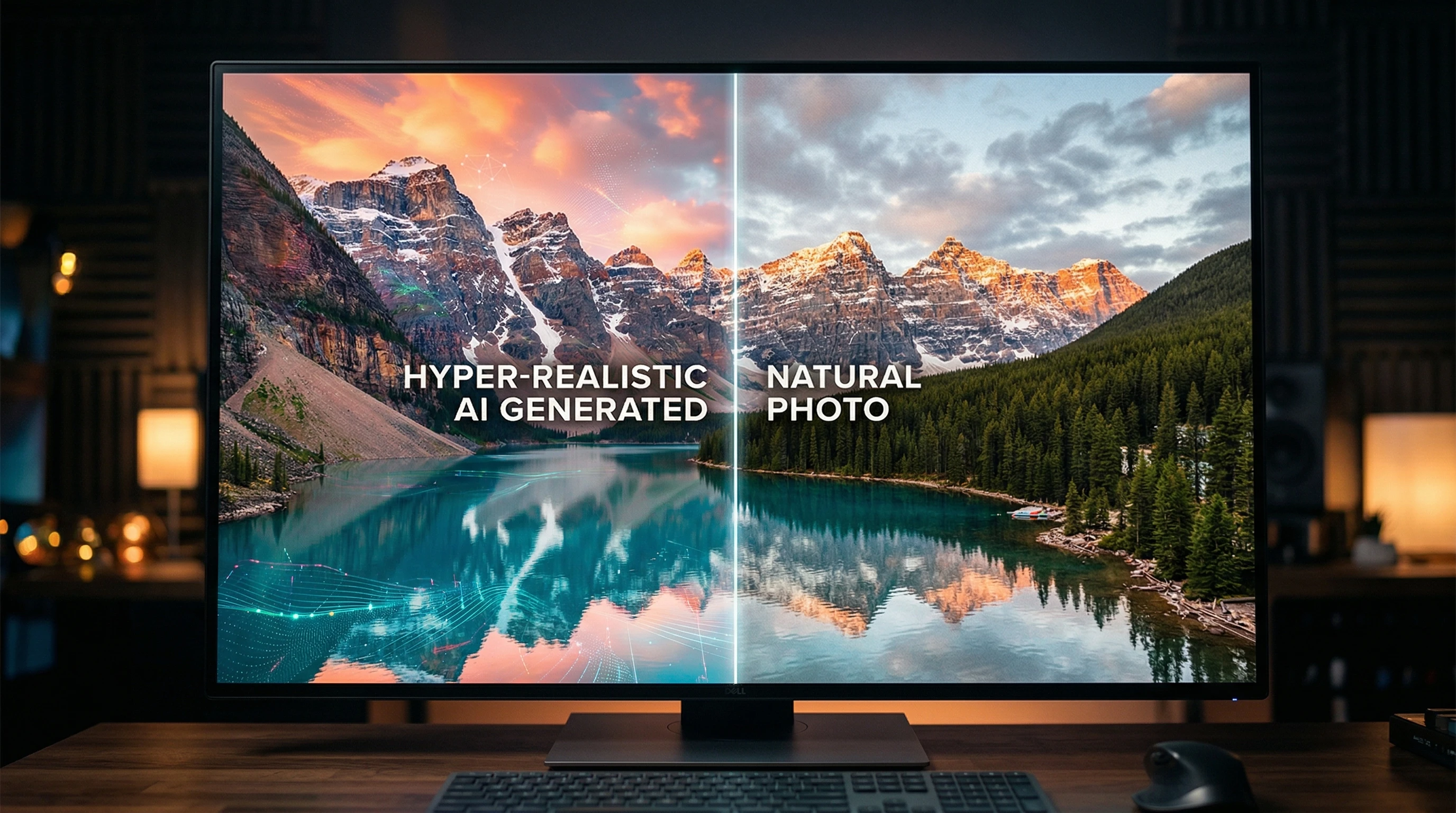
 Spotting AI generated images and videos has become really important. AI tools can now create pictures and videos that look almost real, and some people are using this tech to scam or mislead others. Whether it's fake celebrity videos, madeup news images, or even phony product photos, the risks are pretty real. Knowing how to tell the difference between what's real and what's AImade helps you stay safer online, avoid scams, and understand the digital world better.
The scary part is that AI creations aren't just about fun filters or art anymore. Scammers use AI to trick people into believing fake news, fall for investment traps, or click on dodgy links. AI can even make fake videos of people saying things they never said. It's getting tough to trust what you see online, but you don't have to feel powerless. There are simple signs and smart tools that can help you spot AI imposters before you get fooled.
Here's a practical guide on how to identify AI generated images and videos, protect yourself from scams, and make better choices online.
Understanding AI generated Images and Videos
AI generated visuals are made using software that can create new pictures, videos, or animations from scratch. There are a few kinds of tech behind this:
- Deep learning models: These are algorithms trained to create or change images and videos, sometimes called "deepfakes."
- Text to image models: Programs like DALLE, Midjourney, and Stable Diffusion that create images based on text prompts.
- Face swap or editing apps: Mobile apps that swap faces in photos or videos, often for fun, but sometimes used for fraud.
The result? Photos and videos that can look super convincing, especially to someone quickly glancing at their phone.
Why AIgenerated Content Is Everywhere
- Easy to use apps: Anyone can make AI images and videos with free or lowcost tools.
- Fast sharing: AI fakes spread quickly because they're easy to make and go viral on social media.
- Smart AI: New models are getting better at making things look real, even fixing the mistakes older versions made.
Risks of AI generated Images and Videos
As cool as this tech is, it comes with some serious downsides:
- Online scams: Fake celebrities asking for money or "investment opportunities" that use unreal product photos to trick buyers.
- Phishing attempts: Deepfake videos impersonating company leaders, urging staff to send money, or click suspicious links.
- Reputation damage: AI altered videos can put words in someone's mouth or show them doing things they've never done.
- False news: AI images pop up in fake news stories, causing confusion or panic.
Scammers love using AI to create content that tugs at your emotions, like excitement, fear, or outrage, because people are more likely to act without thinking twice.
The Most Common Signs of AI generated Images
You don't need to be an expert to catch some obvious giveaways. Here’s what I watch for when I’m suspicious of a digital image:
1. Weird Details
- Hands and fingers: AI tools still have trouble drawing hands correctly. Look for too many or too few fingers, twisted shapes, or fingers blending together.
- Teeth and eyes: Teeth might look like one solid block or have uneven shapes. Eyes might be mismatched, crossed, or positioned strangely.
- Background oddities: Watch for objects melting together, weird reflections, or backgrounds that don’t quite match the focus of the image.
2. Strange Lighting and Shadows
AI can mix up shadows or lighting angles. For example, you might see sunshine coming from two different sides or shadows that don’t make sense.
3. Unnatural Skin and Textures
- Skin can look too smooth, plastic like, or strangely patterned.
- Patterns (like stripes or logos) might repeat unnaturally, blur, or break at an edge.
4. Messy Text or Numbers
Text in AI images often looks squiggly, with badly shaped letters or random symbols where words should be. House numbers or business names might be jumbled or unreadable.
Real World Example
I once came across a "viral" artwork online that looked amazing at first glance, but when I zoomed in, the person in the photo had seven fingers on one hand and the writing on a street sign looked like nonsense. Quick signs that tipped me off it was AImade.
Spotting AI generated Videos and Deepfakes
Detecting fake videos is a little trickier, but there are still some solid signs:
1. Odd Movements
- Face glitches: Eyebrows and eyes might move strangely, or lips don’t sync well with the words.
- Blurry edges: Watch for fuzzy or flickering borders around faces, especially when the head turns.
2. Voice Quality or Sync Issues
The voice in a video might sound robotic, monotone, or overly smooth. Sometimes the lips don’t match the words at all.
3. Unnatural Expressions
- People blink too little or too much.
- One side of the face might freeze while the other moves normally, or facial features get "stuck."
4. Visual Disruptions
If part of the scene flickers, warps, or changes texture out of nowhere, that’s another red flag.
Practical Example
There was a viral video of a politician saying something out of character. When I watched closely, the mouth movement was off by half a second, and the lighting on the face kept shifting. A quick reverse image search tied it back to an original, real clip with very different audio. A clear deepfake moment.
How to Check If an Image or Video Is AI generated
Even if you spot clues, sometimes you want to double-check with a tool or service. Here’s what I use or recommend:
1. Reverse Image Search
- Google Images, TinEye, or Yandex: Upload a photo to see if it has appeared before. If the search reports only brand new or unrelated results, it might be AI made.
2. Metadata Tools
- FotoForensics, Jeffrey's Exif Viewer: These show if an image’s metadata has been deleted or changed. Lots of AI images lack any metadata or have signs of editing.
3. AI Detection Apps
- HIVE, Sensity AI, or Deepware Scanner: You upload a video and the app looks for common AI fingerprints like weird mouth movements or splicing errors.
4. Frame By Frame Review
- Pause suspicious videos and look at them frame by frame. AI glitches usually show up when you slow things way down. Watch for flickers, warped lines, or odd transitions.
5. Ask the Community
- There are plenty of Reddit groups (like r/DeepfakesSFW) or Discord channels where people help spot fakes. Sometimes, just getting a second set of eyes helps.
What to Do If You Spot an AI generated Scam
Once you identify a fake, you don’t have to just shake your head and move on. Here’s what I usually do:
- Don’t get involved or share: Avoid liking, commenting, or spreading the image or video, even as a warning. This can just help scammers get more reach.
- Report it: Use the platform’s “report” button to mark the content as fake or misleading. Major sites like Facebook, Instagram, and Twitter/X have a reporting option for fake media.
- Warn your community: If you see a scam in a family or friend group chat, let others know it’s probably AI made. A little alert saves others from falling for it.
- Block or unfollow suspicious accounts: Many scammers quickly delete accounts or change names, but blocking keeps your feed cleaner.
If it's really dangerous, like fake news about a disaster or info that could hurt someone, contact local authorities or factcheck websites such as Snopes or AFP Fact Check. The more people who raise the issue, the sooner it can be taken down and clarified for others.
How to Stay Ahead: Tips for Everyday Users
- Ask questions: If something looks too amazing or outrageous, think, “Could this be fake?”
- Doublecheck sources: Stick to websites or content creators with a trusted track record.
- Don’t trust viral content right away: Fast-spreading posts, especially with emotional captions, often use AI to boost shares.
- Learn from mistakes: If you get fooled once, study what happened instead of feeling embarrassed. Almost everyone gets tricked at some point.
- Teach others: Share your tips with friends and family. The more people know, the safer everyone is.
It can help to bookmark a few fact checking resources too. Sites like Snopes, Reuters Fact Check, or AFP Fact Check regularly break down trending hoaxes, and you can search their archives to see what's been debunked. The more often you check in with these platforms, the easier it gets to spot emerging scams.
Common Questions & Troubleshooting
Can I always spot an AI generated photo without tools?
Not always. The tech is improving fast, and sometimes AI images fool even the pros. But checking for the mistakes above gives you a solid shot. Remember, when in doubt, run a reverse search or ask the community for a second opinion.
Is it okay to use AI art apps for fun?
Sure thing, as long as you’re honest about it and don’t use AI creations to trick or scam anyone. Always respect artists, copyrights, and terms of service. If you share AImade art, a quick note in your caption helps keep things transparent.
What about videos of people I know?
If you get a weird or suspicious video from a friend or boss, call or message them outside the app to confirm it’s really them. Doublecheck before clicking links or sending money. Scammers love impersonation tactics, and AI video makes this easier than ever.
Can AI videos be detected by all platforms?
Not necessarily. Some platforms are rolling out AI video detection features, but these tools are still new and sometimes miss clever fakes. That's why it's important for individuals to keep an eye out for unusual clues and rethink what they share or trust online.
Next Steps and Staying Smart Online
AIgenerated images and videos are getting better every year, but with some practice and the right tools, it’s totally possible to keep ahead. Just stay curious, question what you see online, and don’t rush to believe big claims without proof. The more you look out for AI fakes, the better you’ll get at catching them. You can help keep your friends and family safer, too, by sharing your knowledge and being open about what you spot.
- Check images and videos with obvious giveaways first. Focus on hands, eyes, text, and lighting, as these are where AI glitches often appear.
- Use reverse search and AI analysis tools for doublechecking suspicious files, especially before sharing them widely.
- Report anything that feels off, and share your findings with others to get the word out and nip scams in the bud.
As for me, I never assume online pictures or videos are totally real anymore; just a quick check makes all the difference. Staying safe online isn’t about being paranoid, it's about being prepared and using every tool you have to figure out what's real. The bottom line: As technology keeps moving forward, we all need to keep asking questions, learning, and supporting each other in spotting what's fake and what's authentic online.