Scammers work from scripts, so the same behaviors show up on dating apps, marketplaces, social media and messaging apps. Below are nine red flags you are chatting with a scammer, each with the line you are likely to see and a one-sentence reply you can send. One flag alone can have an innocent explanation. Two or three together mean you should stop replying.
The 9 red flags, at a glance
- They move you to another app within minutes. "Let's switch to WhatsApp, this app is glitchy."
- The relationship gets intense unusually fast. "I've never felt this way about anyone."
- Their story has gaps, and the details change. Job, location or family details shift between messages.
- They can never video call or meet. "My camera is broken."
- They bring up money. A frozen account, a fee, a hospital bill, an overpayment.
- They ask for gift cards, crypto or a wire transfer. Payment methods that are hard to trace and hard to reverse.
- They push urgency and secrecy. "I need it today, and don't tell your bank."
- They use guilt when you hesitate. "I thought you trusted me."
- They send links, codes or files you didn't ask for. "Read me the code you just got."
The sections below go through each one. A real person will accept the reply lines without a fuss. A scammer will ignore them, argue, or get angry, and that reaction is useful information. Once you are sure, you do not need to send a reply at all.
They move you to another app within minutes
What you'll hear: "This app keeps crashing, can we talk on Telegram?" or "Give me your number, I hate typing here."
Dating apps, marketplaces and social platforms can detect scam patterns, remove accounts and keep a record of what was said. A private messaging app has none of that. Scammers want the conversation somewhere nobody is watching and where they can start a new account if you report them.
Moving apps is not always suspicious. After days of normal conversation, plenty of real people want to switch to a messaging app. The flag is speed and insistence: the request comes in the first few messages, and it comes back every time you decline.
Reply to send: "I'd rather keep chatting here for now."
A genuine person says "no problem" and keeps talking. A scammer invents a new reason the app is broken.
The relationship gets intense unusually fast
What you'll hear: "I think you're my soulmate." "I deleted my profile because of you." "I've never told anyone this before."
Rushed intimacy is deliberate. Strong feelings make people less likely to question details, and someone who feels special is more willing to help when a "problem" appears later. Pet names such as "my love" or "darling" within the first few days, plus constant messages and demands for your attention, belong to the same pattern.
This is not limited to romance. A "buyer" who is instantly warm and in a hurry, or a "recruiter" who says you are perfect for the job without asking a single question about your experience, is using the same technique. The closeness arrives before any real knowledge of you.
Reply to send: "I like getting to know you, and I'm going to take it slowly."
Someone who is genuinely interested will accept a slower pace. A scammer will push back with hurt feelings, which leads straight to flag 8.
Their story has gaps, and the details change
What you'll hear: "Oh, I must have mixed that up, I travel so much."
Scammers often run many chats at once and reuse stories, so the details drift. Typical signs:
- The city, age, job or family situation changes from one day to the next. Someone who was widowed on Monday is divorced on Thursday.
- The job is impressive but vague, and always keeps them far away: working overseas, deployed, on an offshore project, or traveling for an international organization.
- The messages arrive at hours that do not fit the place they claim to be in.
- Your specific questions get a general, warm answer that never addresses what you asked.
- The English is stiff or oddly formal compared with the background they describe, or it matches the same phrases other people report from their own scam chats.
Two checks take a minute each. Ask the same simple question twice, a few days apart, such as where they grew up or what they did that weekend, and compare the answers. And run their profile photos through a reverse image search; if the same face appears under other names, you have your answer.
Reply to send: "Earlier you said you were in Lisbon and now it's Dubai, can you explain that?"
A real person gives a short, believable answer. A scammer gets vague, changes the subject or turns it into an accusation.
They can never video call or meet
What you'll hear: "My camera is broken." "The signal where I am is too weak for video." "I'm not allowed to have my phone on base." "I'll call you soon, I promise."
Someone who has chatted with you for weeks and always has a reason not to appear on camera is probably using someone else's photos. The excuses repeat: a broken camera, a bad connection, a job with strict rules. Voice notes with no live video are a variation, because a voice note can be prerecorded or read from a script.
Planned meetings fall apart as well. The trip is real until a problem appears that only money can fix: a visa fee, a blocked flight, a customs charge. At that point the conversation has moved from flag 4 to flag 5.
If they do agree to a video call, ask for something simple that cannot be prepared in advance, such as holding up three fingers or turning their head to one side. Manipulated video exists, and a spontaneous request is hard for it to follow.
Reply to send: "Let's do a five-minute video call this week, it doesn't need to be anything fancy."
The first mention of money, gift cards or crypto
Two flags sit here: any request or hint about money, and the method they want you to use.
Flag 5: the money mention. It rarely arrives as a plain request. It arrives as a problem:
- "My account is frozen and I can't reach my funds."
- "I'm stuck at the airport and need a fee paid."
- "My daughter is in the hospital."
- "I want to send you money, I just need you to cover the transfer cost first."
- "I sent you too much by mistake, please send the difference back." (On a marketplace, the original payment is often fake or gets reversed later, and your money is gone.)
- "I've found an investment that is guaranteed to pay, and I can show you how."
The timing matters. You have not met, you may never have spoken on camera, and money has entered the conversation. The sugar mummy scam is one example of this pattern: the "benefactor" is generous until a fee needs paying first, and the sugar mummy scam guide walks through how that plays out.
Flag 6: the payment method. Scammers ask for payment that is difficult to undo or trace:
- Gift cards, where you are asked to send the card numbers or photos of the codes
- Cryptocurrency sent to a wallet address
- Wire transfers or bank transfers to a personal account
- Payment apps set to "friends and family", which skip buyer protection
Gift cards are a particularly clear sign. No legitimate business, government office or genuine partner asks to be paid in them. Once the code is read out, the money can be spent almost immediately.
Reply to send: "I don't send money to people I haven't met in person, so please don't ask me again."
Urgency, secrecy and guilt when you hesitate
Once a scammer has asked for something, they have to keep you from thinking it over. Two behaviors do that.
Flag 7: urgency and secrecy.
What you'll hear: "I need it in the next hour or I lose everything." "Don't tell your family, they'll try to stop you." "If the bank asks, say it's for a personal purchase."
A deadline stops you from checking facts or asking someone else. The secrecy request cuts you off from the people most likely to say "this looks like a scam." A genuine person with a real emergency does not mind if you talk it over with a friend, and a genuine bank or business never tells you to lie to it.
Reply to send: "If it can't wait for me to talk it over with someone I trust, then I'm out."
Flag 8: guilt.
What you'll hear: "If you cared about me, you'd help." "After everything I've told you, you don't trust me?" "I thought you were different from the others."
Guilt turns your caution into an insult. The pressure can also become hostile: sulking, anger, and in some cases threats to share private photos or messages you sent. If it reaches threats, do not pay. Paying rarely ends it, and the demands usually grow. Screenshot the threats and follow the steps in the next sections.
Reply to send: "If this is real it will still be real tomorrow, and I'm not sending anything tonight."
Links, codes and files you didn't ask for
What you'll hear: "Click this link to confirm you're a real person." "I'm sending you a six-digit code by text, just read it back to me." "Download this app so we can chat privately." "Open this file to see my photos."
Each of these is aimed at your accounts or your device rather than at the conversation.
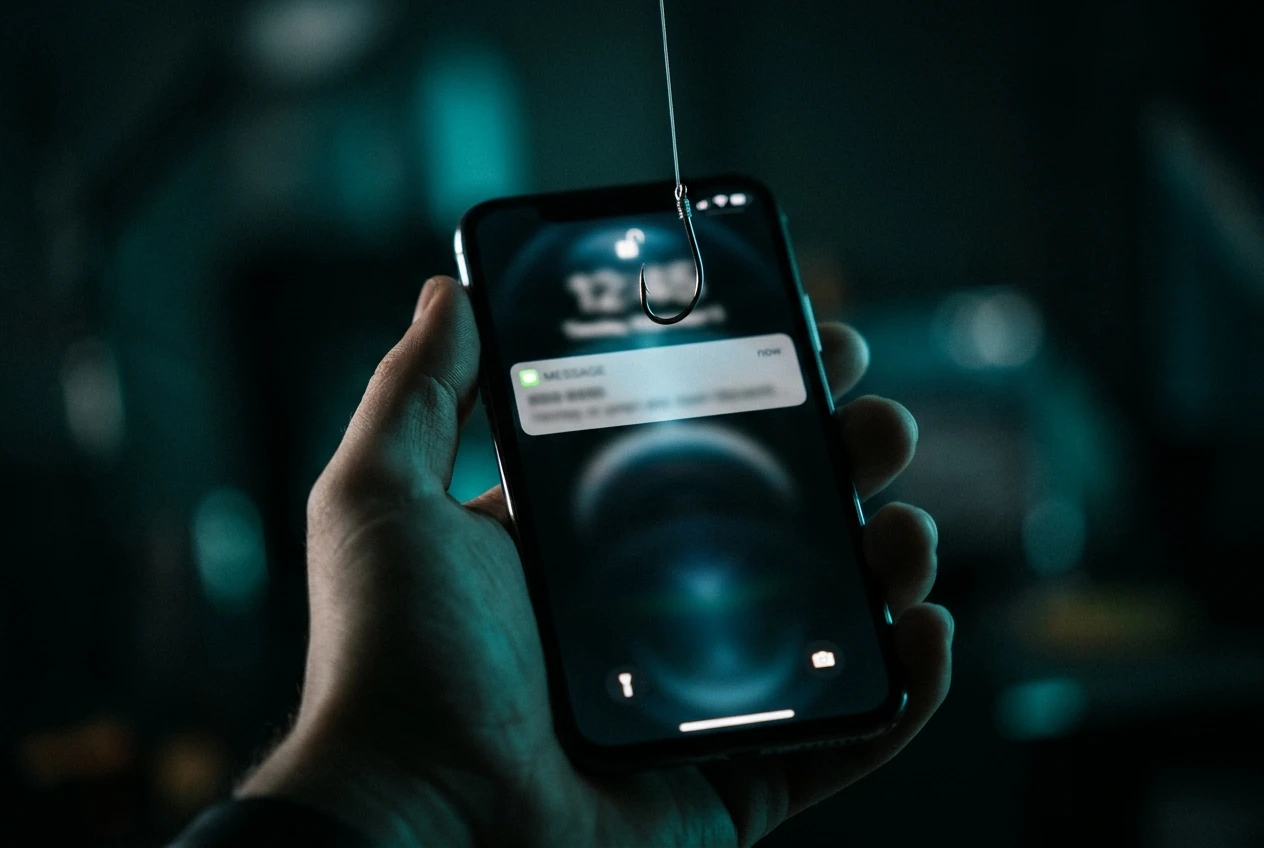
- Links lead to fake login pages that copy your email, bank, social media or marketplace sign-in, or to pages that install something harmful.
- Codes are one-time passcodes your own account sends you when someone, usually the scammer, is trying to log in as you. Reading the code out hands over access. It is also a common move on marketplaces, where the "buyer" says the code is needed to verify you or complete the payment. A code sent to you is never something another person needs.
- Files and apps can be spyware, or remote-access or screen-sharing tools that let someone watch or control your phone or computer, including your banking app.
A friendly tone does not change what these requests do. If someone you only know from a chat sends a link or file you did not ask for, treat it as unsafe until proven otherwise, and do not open it. Once you have stopped the conversation, the link-checking guide linked at the end of this article shows how to examine a link before it can do any harm.
Reply to send: "I don't click links or share codes with anyone, so I'll pass."
What to do the moment you spot one: stop, screenshot, block, report
Follow these in order. The order matters because accounts can vanish after you block or report them.
- Stop replying. Do not confront them or announce that you know it is a scam. Arguing gives them a chance to adjust the story, and it keeps a channel open.
- Screenshot everything first. Capture the profile, the username, any phone number, the full conversation, links, payment details and wallet addresses. This evidence is what your bank, the platform and the authorities will ask for.
- Block them. Do it on every app where they can reach you, including the one they moved you to.
- Report them. Use the platform's report button so the account can be removed and others are protected. If money or personal details are involved, also report to your bank and to your country's fraud or consumer protection agency.
It also helps to tell one person you trust. A second opinion is the thing the scammer was trying to keep from you.
Already sent something? What to do in the next hour
Speed counts, because some payments can be stopped or flagged only while they are still new. Work out what you sent and follow the matching steps. Do not wait until you feel ready to talk about it.
Money by bank transfer or card: Call your bank's fraud line now. Say clearly that you were the victim of a scam and ask whether the transfer can be recalled or the card payment disputed. Give them the account details and the screenshots you saved.
Gift cards: Contact the company that issued the card, using the number on the card or its official website. Give them the card numbers and the receipt, and ask whether any unspent balance can be frozen.
Cryptocurrency: Contact the exchange or app you used with the wallet address and the transaction ID, and ask them to flag it. Crypto transfers are rarely reversible, but the exchange can still record the report.
A code or a login: Go to the account through its official app or by typing the address yourself, not through a link in the chat. Change the password, sign out of all devices, and turn on two-factor authentication. Do the same for any other account that shares that password. A password manager helps here because it creates and stores a different strong password for every account, so one stolen login opens nothing else.
A link you clicked or a file you installed: Disconnect the device from the internet, delete the app or file, and run a security scan. Then change your passwords from a different, clean device. If you installed a remote-access or screen-sharing app, call your bank at once, because the person may have seen your banking details.
Personal documents or details: If you sent ID, a passport or address details, check whether your country lets you place a fraud alert or credit freeze, and watch your accounts closely. An identity monitoring service can alert you if your details are used to open new accounts, which makes it a reasonable extra layer after a leak.
Private photos, and a threat to share them: Do not pay. Screenshot the threats, block the account and report it to the platform and the authorities.
After a scam, you may be contacted by someone offering to "recover your money" for an upfront fee. That is a second scam aimed at the same victims, and a genuine recovery process never requires you to pay first.
Being caught by a well-rehearsed script says nothing about your intelligence, because these scripts are written to work on careful people too. What helps is acting quickly and telling someone.
Before you click anything a chat partner sends, run it through the link-checking guide, which shows a check you can finish in under a minute. And if every account you own still shares a few passwords, setting up a password manager is a sensible next step.


