
Pay wave technology has changed how I use debit and credit cards, making my shopping routine much faster and smoother. With a quick tap, I can pay for almost anything without fiddling with PIN codes or handing my card to someone else. I enjoy this convenience, but at the same time, I care about keeping my card balances and personal information secure. In this article, I’ll spell out what pay wave technology is, how it works, and the steps I take to make sure my money and data aren’t at risk from unwanted scans or digital theft.
Understanding Pay Wave Technology
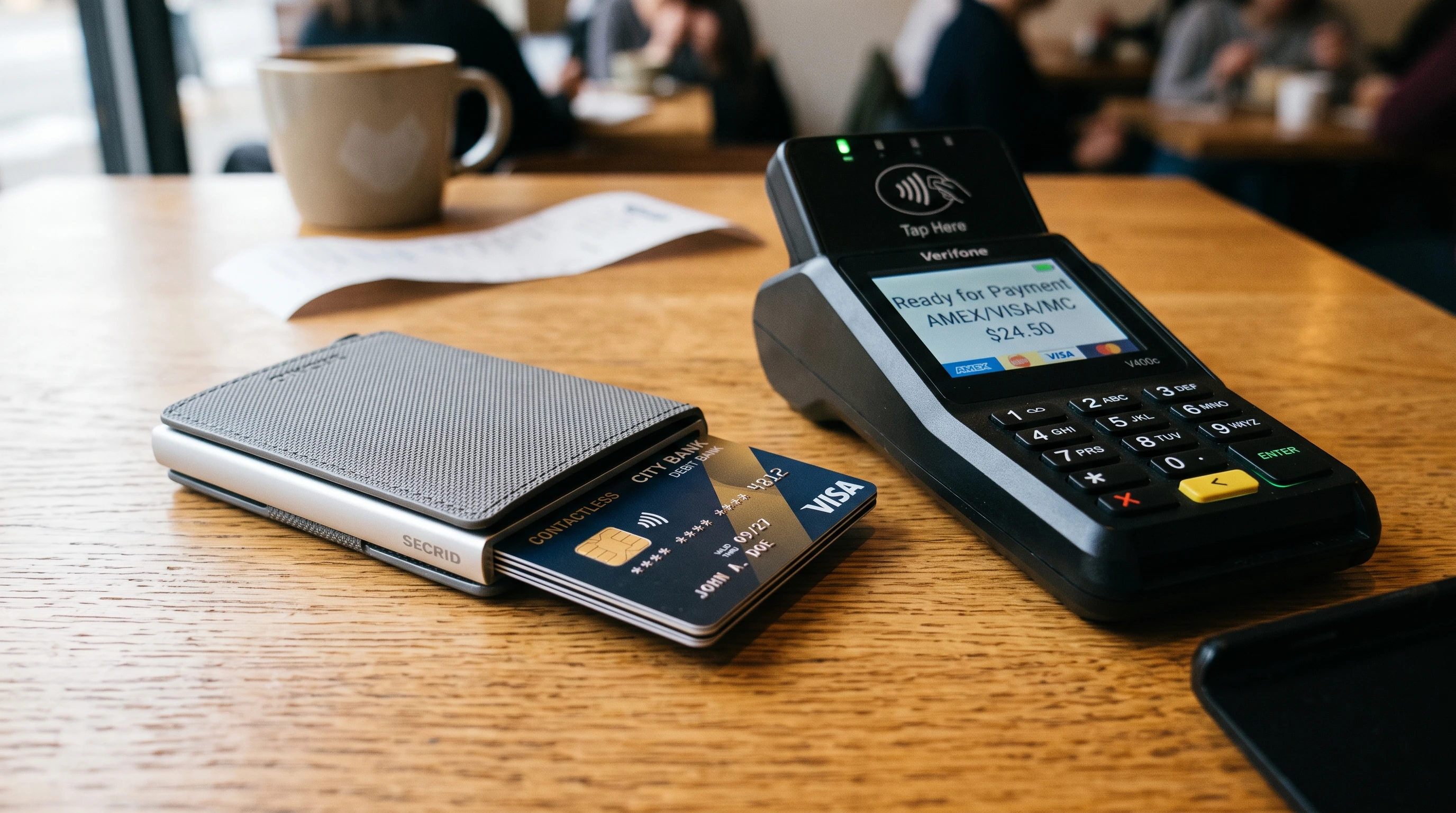
Pay wave, sometimes simply called contactless or tap-to-pay, uses RFID (Radio Frequency Identification) or NFC (Near Field Communication) technology so that I can pay just by placing my card near a payment terminal. There’s no need for a PIN, signature, or swiping—just a tap. Transaction limits usually keep each payment low, though some banks let users adjust these limits for more control.
Every contactless card has an embedded chip and a tiny antenna. When the card is placed within about four centimeters of a payment terminal, the terminal reads the data it needs to process the transaction. This removes the need to swipe, insert, or physically hand over your card. Today, contactless transactions are common in supermarkets, on public transport, and even at vending machines, offering great speed and keeping lines moving.
Does Pay Wave Really Put My Balance at Risk?
Pay wave’s no-password setup makes transactions super quick, which I love—but sometimes, I wonder about security. The most common worry is that someone with a hidden RFID reader could get close to me in a crowded space and “skim” my card’s data without my knowledge.
In reality, lifting card data via pay wave skimming is pretty challenging. Modern cards use encrypted signals, and payment value caps (typically around $100) further reduce the risk. Banks have fraud monitoring in place, too. Even so, I consider what could happen if someone had the right tool and got close enough to read my card, especially in packed locations.
How Devices Can Access Card Information
When my contactless card is near a reader or terminal, the chip responds to a special radio frequency signal. If a portable reader copies this signal and is close enough, it might capture the limited payment data a transaction would use.
While this process can’t show my account balance directly, it could pull enough info (like my card number and expiry date) to try small, sneaky purchases. Some cybercriminals even use custom readers to try multiple transactions. Fortunately, most banks block repeated attempts from the same card-device pair, and cards won’t transmit the critical security code needed for many transactions. Still, keeping my card buried deep inside my wallet or bag when out in public makes me feel safer, because casual skimming is much tougher.
How Common Is Pay Wave Skimming?
Reports about pay wave skimming occasionally trend online, but the real-world numbers are small. Security researchers have shown that, with special hardware and mobile apps, it’s technically possible to grab some data, but the average fraudster still goes after easier targets: lost or stolen cards, data breaches, or card “phishing” schemes.
According to UK Finance and other industry bodies, contactless fraud accounts for a tiny fraction of overall card fraud. My banking app gives instant alerts with every pay wave payment, helping me catch anything suspicious fast. If skimming does happen, most banks are quick to refund affected customers and replace compromised cards. From everything I’ve seen (including stories from friends and family), successful contactless skimming events are extremely rare, and balance thefts through scanning are even less likely.
Simple Ways I Protect My Pay Wave Cards
I know the chances are slim, but I still take a few simple steps to maximize my contactless card’s safety. These habits have become second nature and let me use pay wave with confidence:
- Store Cards in an RFID Blocking Sleeve: These simple holders block radio signals, so skimmers can’t pick up my card’s data. I use one all the time.
- Carry Only What’s Necessary: Instead of a full wallet, I take just one or two cards with me on outings, reducing exposure.
- Monitor Bank Notifications: My bank’s app sends real-time alerts for every transaction. I can spot anything fishy right away.
- Physically Shield My Wallet or Card: When I’m in a dense crowd, I keep my wallet close to my body or sandwiched between other items for an extra barrier.
- Set Contactless Limits: With my bank, I’ve lowered my default pay wave limit and can even disable the feature entirely if I won’t need it for a while.
Extra Security Features Banks Offer
Modern banks make contactless payments safer with some smart features. Here’s what I’ve seen my bank and card provider roll out for extra peace of mind:
- Security Alerts and Monitoring: My bank’s computer systems constantly scan for odd patterns. If a payment looks strange—wrong amount, unfamiliar merchant, or unexpected location—it can be blocked automatically or I get a warning alert.
- Auto-Blocking After Multiple Failed Taps: Too many failed attempts in a row and my card is locked, blocking further use until I confirm my identity with the bank.
- Fraud Refunds: If someone manages to get through and makes a payment I didn’t agree to, most banks refund my money quickly, as long as I report the issue fast.
Should I Worry About Using Pay Wave Without a Password?
Pay wave skips the PIN for speed, and for me it’s super handy for coffee runs or groceries. But since anyone holding my card could use it for small amounts, I’m extra careful with how I store and handle my cards.
Luckily, banks cap the spend amount on each tap and require a PIN for bigger buys. The moment I spot my card’s missing—or notice an unknown charge—I use my banking app or hotline to freeze it instantly. Quick action means no one can use my card for repeated tap payments going forward.
RFID Blocking Products: Do They Really Work?
There are plenty of RFID blocking wallets, sleeves, and cases in the market. The way these work is simple: a thin layer of metal fiber acts as a shield, stopping the radio signals that power the card’s chip from reaching it. Most reputable security tests and reviews show that blocking products make it nearly impossible for portable readers to grab card data in public.
I personally got a sleeve for all my cards, but some people opt for wallets that have metal foil or mesh built in. This little upgrade makes me feel more secure in busy locations, like metros and airports, and has held up well in my daily routine.
What Data Can Actually Be Stolen?
If a scammer does succeed in reading my card during a pay wave scan, what can they really get? Usually, the info is limited to the card number and expiry date—that’s not enough on its own for online spending. The critical CVV/CVC code from the back of the card isn’t transmitted over RFID/NFC. Also, contactless cards create a special, unique code every time I make a purchase, so copying a transmitted transaction doesn’t work for later use. The single-use transaction data is useless once completed.
Online fraud is much more likely to happen after a data breach or phishing attempt, not from someone scanning my pocket or bag on the street. Cloning and reuse of pay wave cards for big fraud simply hasn’t happened under real-world testing.
Extra Steps I Take for Peace of Mind
- Routine Account Checks: Once a week, I scan my bank transactions for anything sketchy. Spotting odd charges early means I can alert my bank right away.
- Disable Contactless When Traveling: Some apps let me turn off pay wave before heading overseas or to big public events—less risk, less stress.
- Don’t Stack Cards With Devices: I separate my cards from my phone and electronic keycards, since multiple signals can cause issues or interfere with reads.
Common Myths About Pay Wave Security
Pay wave skimming makes people nervous, but myths often outnumber real risks. Here’s what I’ve found to set the record straight:
- No Account Balance on Tap: Balance info isn’t broadcast during a transaction. Only details needed to complete a payment move from my card to the merchant device.
- Multiple Cards Confuse Readers: Having several contactless cards together actually confuses scanners, making accidental charges almost impossible.
- Fraud Protection Policies From Banks: Major banks quickly refund money lost to genuine fraud, so I don’t end up out of pocket while the bank investigates what happened.
Advanced Tips for Card Owners
I like to dig deeper and make the most of advanced security options. Many banks now supply virtual cards for online spending—these keep my real card number private and reduce the chance of fraud. I also keep my banking apps updated to access location-based card locking and freeze/unfreeze features, especially handy when traveling or shopping in new places.
For foreign travel, I call or message my bank about local risks, and in big crowds or festivals, I try to stick to digital wallets or cash, while keeping my contactless cards tucked away securely.
How I Report Suspicious Activity and Lost Cards
If something feels off—like a missing card or a surprise payment—my first move is to freeze the card with my banking app or call the lost card hotline. Getting in quickly makes it much easier for the bank to lock my card out from further use and start the refund process, if needed.
Practical Examples of Safer Pay Wave Use
- Shopping in Busy Places: My wallet stays in an inside pocket with my blocking sleeve. I keep an eye on anyone standing too close in line.
- Public Transport: I store my cards in a zippered pouch, away from outer pockets or easy access points.
- Travel: I disable pay wave if local security is weak and carry just one card for contactless payments, leaving backups in a safe place.
Frequently Asked Questions
Question: Is pay wave safe to use for daily shopping?
Answer: Yes, pay wave is safe as long as I protect my card and stay alert using notifications. Banks add many security features and are quick to help if fraud does occur.
Question: Can someone see my card’s balance by tapping it with a reader?
Answer: No. Only transaction-relevant data is shared over contactless, not your personal balance or history.
Question: Should I use an RFID blocking wallet?
Answer: An RFID blocking sleeve or wallet blocks signals, offering a solid extra layer of protection—especially helpful in crowded transport or busy malls.
Question: Can my card be charged accidentally in my wallet?
Answer: Almost never. Payment terminals require precise, close contact and deliberate approval for each charge. Carrying multiple cards tends to muddle the signal instead of making an accidental payment.
Question: What do I do if I lose my pay wave card?
Answer: Act quickly: freeze your card using a mobile app or by calling customer service, then request a replacement. Your bank will handle the rest and make sure the lost card can’t be used again.
Pay Wave Is Convenient and Safer Than Many People Think
Contactless technology has revamped how I pay for goods and services. By using some basic safety habits, keeping up with my card provider’s security features, and staying on top of my account, I get speed and security without worry. A blocking sleeve, routine account checks, and bank notifications keep me protected, letting me get on with shopping—and life—confidently, one tap at a time.